


In this article
- Why Panel Management Software Migration Matters
- What Is Panel Management Software Migration?
- Why Legacy Panel Software Becomes a Problem
- Upload Existing Data or Re-Register Panelists?
- What Data Should You Migrate?
- Step-by-Step Panel Data Migration Framework
- Panel Migration Risk Table
- Panel Migration Checklist
- Migration Acceptance Criteria
- Legacy Panel Software Replacement: Custom or White-Label?
- Top Panel Management Software Features to Review Before Migration
- Cost to Build or Migrate Panel Management Software
- Market Research Survey Panels Integration
- Panel Management Software Challenges and Solutions
- Mini Case Study 1: Nuuday Centralized Insights Data
- Mini Case Study 2: Bright MR and Custom Research Operations
- Tips to Choose the Right Panel Management Tool
- Build or Migrate Panel Management Software With OnGraph
- Data Privacy, Consent, and Compliance Considerations
- Common Mistakes to Avoid
- Key Takeaways
- Final Thoughts
Panel management software migration helps research teams move respondent profiles, consent records, reward balances, survey history, and segmentation data from legacy tools into a modern panel system.
- Audit existing respondent data first.
- Map fields before migration.
- Preserve consent and opt-out records.
- Validate rewards and survey history.
- Test migration with a sample dataset.
- Communicate clearly with panelists.
Why Panel Management Software Migration Matters
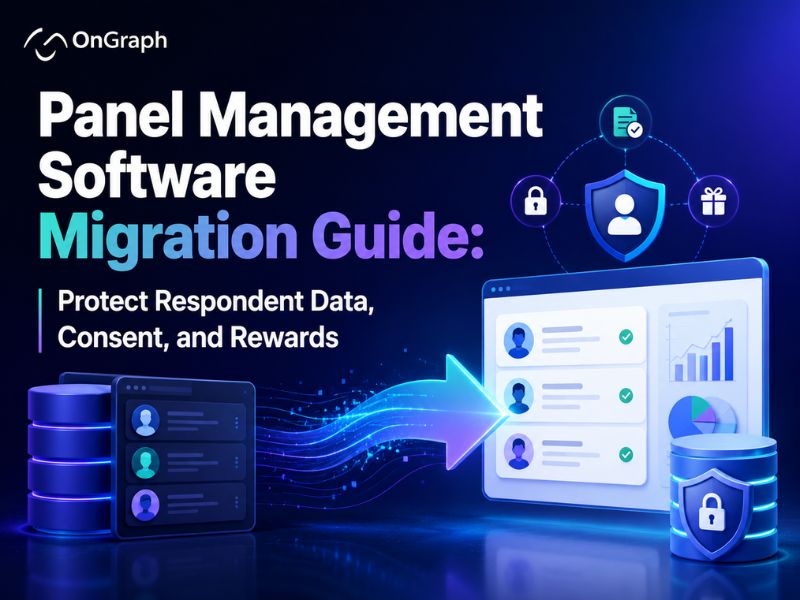
Panel management software migration is not just a technical database transfer. It affects respondent trust, research continuity, consent records, reward balances, segmentation, and ongoing project delivery.
Many research teams outgrow legacy tools because data becomes scattered across spreadsheets, survey systems, email tools, incentive platforms, and outdated panel databases. When this happens, teams may struggle to find accurate profiles, manage consent, track survey history, or reward respondents correctly.
A poor migration can damage panel quality. It may create duplicate respondents, missing consent records, broken reward balances, inaccurate targeting, and frustrated panelists.
Forsta notes that panel migration may involve either uploading existing data into a new panel or re-registering panelists.
This guide explains how to migrate from legacy panel software without losing critical respondent data. It focuses on planning, data mapping, validation, privacy controls, and safe rollout.
What Is Panel Management Software Migration?
Panel management software migration is the process of moving panel data from an old system into a new platform. The goal is to preserve panel value while improving workflows, reporting, integrations, and research operations.
A typical migration may include:
- Respondent profiles
- Contact details
- Demographics
- Segmentation fields
- Consent records
- Opt-out preferences
- Survey history
- Reward balances
- Incentive history
- Communication history
- Panelist status
- Quality flags
- Project participation data
Forsta describes panel management as a scalable system for storing and accessing survey and profile data.
That means migration must protect more than names and emails. It should also preserve the data relationships that help research teams target, engage, and manage respondents.
Why Legacy Panel Software Becomes a Problem
Legacy panel tools often work well at the beginning. Over time, they can become difficult to maintain when research volume grows and workflows become more complex.
Common issues include outdated interfaces, manual exports, weak reporting, poor integrations, duplicate records, limited consent tracking, and slow segmentation. Teams may also rely on staff memory to understand data fields and panel rules.
Legacy systems may create operational risk when they cannot support modern privacy, security, and workflow needs. A modern panel management software solution can centralize profiles, surveys, rewards, consent, and engagement workflows.
Migration should still be planned carefully. Moving bad data into a better platform will not solve the underlying problem.
Upload Existing Data or Re-Register Panelists?
One of the first migration decisions is whether to upload existing respondent data or re-register panelists. Forsta’s migration guidance highlights this exact choice.
Both approaches can work, but they solve different problems.
| Migration Approach | Best For | Main Advantage | Main Risk |
| Upload existing data | Clean and trusted panel database | Faster migration | Old data issues may move forward |
| Re-register panelists | Weak consent or outdated profiles | Fresh consent and updated profiles | Panel size may reduce |
| Hybrid migration | Mixed data quality | Balance speed and quality | Requires careful segmentation |
Upload existing data when your database is accurate, consent records are clear, and respondent profiles are usable. Re-register panelists when old records are unreliable, consent history is weak, or profile data is outdated.
A hybrid approach often works best. You can migrate trusted records and ask inactive or incomplete profiles to re-register.
What Data Should You Migrate?
Before migration begins, define which data should move into the new platform. Not every old field deserves migration.
Important data categories include:
- Personal information
- Contact information
- Demographics
- Profile attributes
- Consent records
- Communication preferences
- Survey participation history
- Incentive and reward balances
- Quality flags
- Segments and tags
- Recruitment source
- Panelist status
- Opt-out records
OnGraph’s panel management software features guide explains that modern panel tools may store respondent names, emails, demographics, location data, consent records, survey history, and incentive details.
This is why migration should start with a data inventory. Teams need to understand what exists, what is accurate, and what should be removed.
Step-by-Step Panel Data Migration Framework
A structured framework reduces risk and keeps the migration manageable. The following process can help research teams move from legacy panel software safely.
Step 1: Audit the Current Panel Database
Start by reviewing your existing respondent database. Identify the number of records, field types, duplicates, inactive users, missing values, consent gaps, and outdated profile fields.
The audit should answer:
- How many active panelists exist?
- Which records are inactive?
- Which profiles are incomplete?
- Where are duplicate records?
- Which consent records are missing?
- Which reward balances need validation?
- Which fields are no longer useful?
- Which data sources must be merged?
Do not migrate everything blindly. Poor-quality data creates problems inside the new system.
A clean audit helps you decide which data should migrate, which data should be archived, and which users should re-register.
Step 2: Map Legacy Fields to the New System
Field mapping connects old data fields with the new platform structure. This step is critical because old systems may use inconsistent field names, outdated codes, or free-text values.
For example, one system may store gender as “M/F,” while the new platform uses full labels. A legacy database may store country names inconsistently, such as “USA,” “US,” and “United States.”
Your mapping document should include:
- Old field name
- New field name
- Data type
- Accepted values
- Transformation rules
- Required status
- Validation checks
- Owner approval
This step protects survey targeting and segmentation. If fields are mapped incorrectly, future sampling may become unreliable.
Step 3: Clean and Deduplicate Respondent Records
Duplicate records can damage panel quality. They may also create repeated invitations, duplicate rewards, and inaccurate participation history.
Common duplicate signals include:
- Same email address
- Same phone number
- Same device ID
- Same payment account
- Similar name and location
- Repeated recruitment source
- Shared IP patterns
Deduplication rules should be reviewed carefully. Some respondents may share family devices, workplaces, or public networks.
Automated deduplication should support human review. It should not remove legitimate panelists without proper validation.
Step 4: Preserve Consent and Opt-Out Records
Consent data is one of the most important parts of panel data migration. If consent or opt-out records are lost, the panel may become risky to use.
Important consent data may include:
- Consent status
- Consent timestamp
- Consent source
- Terms accepted
- Privacy notice version
- Communication preferences
- Opt-out status
- Data deletion requests
- Re-contact permissions
Ethnio describes participant history tracking across screeners, studies, incentives, emails, and consent submissions. It also mentions opt-out management and data erasure workflows.
A migration plan should preserve consent history where available. If consent records are unclear, re-registration may be safer.
Compliance depends on platform configuration, contracts, hosting, internal processes, and applicable laws. A qualified legal or compliance professional should review your migration plan.
Step 5: Validate Reward and Incentive Balances
Reward balances are sensitive because they affect respondent trust. Even small errors can lead to complaints and support issues.
Migration should check:
- Current reward balance
- Redemption history
- Pending rewards
- Expired rewards
- Payment method
- Currency
- Reward rules
- Fraud flags
- Manual adjustments
Run reconciliation before and after migration. Finance or operations teams should approve the final balance records.
Do not migrate reward data without an audit trail. Respondents may ask about past activity after the new platform goes live.
Step 6: Move Survey History and Participation Data
Survey history helps teams avoid over-contacting respondents. It also supports targeting, fatigue management, segmentation, and panel-health analysis.
Migration may include:
- Surveys invited
- Surveys started
- Surveys completed
- Screen-outs
- Terminations
- Last participation date
- Category participation
- Incentives earned
- Quality flags
Forsta’s panel setup content describes integration between Panel Management and Forsta Surveys for data transfer between surveys and the panel database.
This shows why survey history should connect with panel profiles. Without that link, targeting and engagement workflows may become weaker after migration.
Step 7: Test Migration With a Sample Dataset
Before full migration, test with a small but representative dataset. Include active panelists, inactive panelists, duplicates, missing fields, reward records, consent records, and survey history.
Test these areas:
- Field mapping accuracy
- Data transformation rules
- Duplicate handling
- Consent migration
- Reward balance migration
- Survey history links
- Search and filtering
- Segment creation
- Email preference handling
- Reporting outputs
Compare old and new records side by side. Fix issues before the full migration.
A test migration saves time. It also helps teams discover hidden data problems before launch.
Step 8: Run a Parallel Validation Period
A parallel run means using the old and new systems together for a limited time. This helps verify that the new platform behaves correctly before full cutover.
During validation, compare:
- Active panelist count
- Segment counts
- Survey invitation lists
- Reward balances
- Consent status
- Opt-out lists
- Profile completeness
- Sample pulls
- Reporting outputs
Do not rush the final cutover. A short parallel period can prevent expensive mistakes.
The goal is confidence before retiring the legacy system.
Step 9: Communicate the Change to Panelists
Panelists should understand what is changing and why. Clear communication can reduce confusion and support requests.
Your message may explain:
- Why the platform is changing
- What data will be preserved
- Whether login details will change
- Whether consent needs confirmation
- How rewards will be handled
- Where users can get support
- How to update profile details
- How to opt out
If re-registration is required, explain the benefit clearly. Users may get better profile accuracy, improved survey matching, or updated privacy preferences.
A migration is also a chance to re-engage inactive panelists.
Step 10: Monitor After Migration
Post-migration monitoring helps identify issues early. Support teams should be ready for questions about login access, rewards, consent, and profile updates.
Track these metrics:
- Login success rate
- Profile completion rate
- Email bounce rate
- Opt-out rate
- Support tickets
- Reward complaints
- Duplicate records
- Survey participation rate
- Segment accuracy
- Data-quality flags
Migration success is not only technical. It should also preserve panelist experience and research operations continuity.
Panel Migration Risk Table
| Migration Risk | What Can Go Wrong | How to Reduce Risk |
| Duplicate profiles | Same respondent appears twice | Use email, phone, device, and manual review |
| Missing consent | Panel cannot be safely contacted | Map consent status, date, source, and notice version |
| Wrong reward balances | Respondent complaints increase | Reconcile rewards before and after migration |
| Lost survey history | Over-contacting risk increases | Map invites, completes, screen-outs, and last activity |
| Broken segments | Targeting becomes inaccurate | Validate segment counts before cutover |
| Weak communication | Panelists get confused | Send clear migration and login instructions |
| No rollback plan | Recovery becomes difficult | Keep legacy backup until validation is complete |
This table can help teams discuss risks before migration begins. It also gives project owners a clearer way to assign responsibilities.
Panel Migration Checklist
| Migration Area | What to Check | Owner |
| Respondent profiles | Names, emails, demographics, tags | Data team |
| Consent records | Status, timestamp, source, notice version | Compliance team |
| Opt-outs | Suppression lists and preferences | Operations team |
| Rewards | Balances, pending rewards, history | Finance team |
| Survey history | Invites, completes, screen-outs | Research team |
| Segments | Targeting rules and saved groups | Project team |
| Quality flags | Fraud markers and duplicate risks | Quality team |
| Integrations | Survey tools and APIs | Engineering team |
| Reporting | Counts, exports, dashboards | Analytics team |
| Support | Panelist FAQs and helpdesk readiness | Support team |
Use this checklist before full cutover. Each area should have an accountable owner.
Migration Acceptance Criteria
Before going live, confirm that the migrated system meets clear acceptance criteria. This step helps teams avoid launching with hidden data issues.
Confirm these items:
- Active respondent count matches approved records.
- Consent status is correctly mapped.
- Opt-out lists are preserved.
- Reward balances are reconciled.
- Survey history is linked to profiles.
- Segments return expected counts.
- Login and communication workflows work.
- Reports match validated sample data.
- Data exports are accurate.
- Support team is ready for panelist questions.
Acceptance criteria should be approved by research, operations, finance, engineering, and compliance stakeholders. This creates shared confidence before the legacy system is retired.
Legacy Panel Software Replacement: Custom or White-Label?
A legacy panel software replacement can follow different paths. Some teams choose an existing platform, while others build custom software.
| Option | Best For | Advantage | Limitation |
| Existing panel platform | Standard workflows | Faster setup | Less customization |
| White-label platform | Branded panel operations | Faster branded launch | Vendor-dependent flexibility |
| Custom software | Unique workflows | Full control | Higher planning effort |
| Hybrid approach | Phased modernization | Balanced risk | Requires strong planning |
A White-Label Panel Management Software solution may suit agencies that need faster launch with branded access. Custom software may fit teams with proprietary workflows, complex integrations, or unique panel operations.
Your decision should depend on data complexity, migration risk, integration needs, and long-term product strategy.
Top Panel Management Software Features to Review Before Migration
Before you upgrade your panel management system, define which features your new platform must support. Migration becomes easier when the destination system is clear.
Important features include:
- Respondent profiles
- Consent management
- Survey history
- Incentive tracking
- Segmentation
- Sample pulling
- Panelist communication
- Quality flags
- Reporting dashboards
- Role-based access
- API integrations
- Audit logs
Forsta’s panel management platform highlights profile data, survey data, sampling workflows, engagement, and reporting.
OnGraph also explains that modern panel software should support consent logs, opt-out workflows, data deletion options, secure hosting, role-based access, and audit trails.
Cost to Build or Migrate Panel Management Software
The Cost to build panel management software or migrate legacy panel data depends on scope. Migration cost is usually affected by data quality, system complexity, integrations, privacy controls, and validation effort.
Major cost factors include:
- Number of respondent records
- Number of legacy systems
- Data-cleaning complexity
- Consent record quality
- Reward balance reconciliation
- Survey history migration
- Custom segmentation rules
- API integrations
- Reporting dashboards
- Security requirements
- Testing and validation
- Support during cutover
| Migration Scope | Typical Work | Relative Investment |
| Basic migration | Clean respondent profiles | Lower |
| Standard migration | Profiles, consent, rewards, history | Medium |
| Advanced migration | Multiple systems and integrations | Higher |
| Enterprise migration | Custom workflows and compliance review | Highest |
These levels describe relative complexity. Final pricing requires a project-specific discovery process.
Market Research Survey Panels Integration
Panel migration often includes integrations with survey tools, sample systems, incentive platforms, email tools, and reporting dashboards. These integrations should be documented before the migration begins.
Common integrations include:
- Survey programming tools
- Email platforms
- SMS tools
- Reward systems
- CRM systems
- Sample marketplaces
- Analytics dashboards
- Data warehouses
Nuuday used Forsta as a centralized insights hub connected to a Microsoft Azure data warehouse.
That case shows how centralized data can support visibility and alignment. Panel teams can follow a similar principle when connecting migrated panel data with broader research systems.
Panel Management Software Challenges and Solutions
Migration projects can fail when teams underestimate data complexity. Common challenges should be expected early.
| Challenge | Impact | Solution |
| Duplicate respondents | Inflated panel size | Deduplicate with review rules |
| Missing consent records | Compliance risk | Re-confirm consent where needed |
| Outdated profiles | Poor targeting | Add profile refresh workflows |
| Incorrect reward balances | Panelist complaints | Reconcile before cutover |
| Lost survey history | Over-contacting risk | Map participation records |
| Broken integrations | Workflow disruption | Test APIs before launch |
| Poor communication | Support tickets | Prepare panelist FAQs |
| Weak validation | Hidden data errors | Run sample migration first |
A migration should improve panel quality, not only move old data. Use the process to clean, organize, and modernize respondent records.
Also read: Panel Management Software Challenges and Solutions
Mini Case Study 1: Nuuday Centralized Insights Data
Forsta reports that Nuuday used its unified insights platform to centralize feedback. The system connected feedback flows into a centralized hub and linked with Microsoft Azure data warehouse.
What Panel Teams Can Learn
Centralized data can improve visibility across teams. Migration planning should consider how panel data connects with warehouses, dashboards, and research workflows.
Mini Case Study 2: Bright MR and Custom Research Operations
Forsta describes Bright MR as a provider of programming, data management, and research operations. The case study highlights platform flexibility for implementing custom solutions.
What Research Teams Can Learn
Migration is also an opportunity to improve operations. Teams should not simply recreate old workflows inside a new system.
Custom flexibility can matter when panel workflows, survey programming, and data operations are unique.
Tips to Choose the Right Panel Management Tool
The right tool should support your current panel and future research operations. Do not choose based only on feature lists.
Ask these questions:
- Can it migrate respondent profiles?
- Can it preserve consent history?
- Can it handle opt-outs and deletion requests?
- Can it migrate reward balances?
- Can it connect with survey tools?
- Can it support custom segments?
- Can it manage panelist communication?
- Can it support role-based access?
- Can it create audit logs?
- Can it scale across multiple panels?
- Can it support reporting and exports?
Build or Migrate Panel Management Software With OnGraph
OnGraph helps research businesses build custom software for panel, project, supplier, and workflow operations. Our team can help plan panel management software migration from legacy systems into a more scalable research platform.
Potential capabilities include:
- Respondent database migration
- Consent record migration
- Reward balance migration
- Survey history migration
- Custom panel workflows
- Panelist communication
- Role-based access
- API integrations
- Reporting dashboards
- Supplier workflows
- Project management
- Data-quality controls
Data Privacy, Consent, and Compliance Considerations
Panel migration may involve personal data, profile attributes, consent records, communication preferences, incentive history, opt-outs, and survey participation records. These records should be migrated with strong governance.
Important controls include:
- Role-based access
- Audit logs
- Encryption
- Secure transfer
- Consent history
- Opt-out migration
- Data deletion workflows
- Data retention rules
- Vendor agreements
- Access reviews
- Incident monitoring
Consent records need special attention. Teams should preserve consent status, consent timestamp, source, privacy notice version, and opt-out preferences where available.
Rogator says data protection conformity can be checked during panel migration.
Compliance depends on platform configuration, hosting, contracts, internal processes, and applicable laws. Do not claim automatic GDPR, CCPA, DPDP, SOC 2, ISO, or HIPAA compliance without legal and security review.
Common Mistakes to Avoid
Migrating Everything Without Cleaning
Old systems often contain duplicate, outdated, or incomplete records. Clean data before migration.
Ignoring Consent History
Consent records are critical. Missing consent may require re-confirmation or re-registration.
Forgetting Reward Balances
Incentive errors can damage panelist trust. Validate reward records before launch.
Skipping Test Migration
A sample migration reveals mapping errors early. Never move the full database without testing.
Not Communicating With Panelists
Panelists need clear instructions. Explain login, rewards, privacy, and support changes.
Retiring the Old System Too Quickly
Keep access to the legacy system until validation is complete. This protects audit and recovery needs.
Key Takeaways
- Panel management software migration should protect respondent profiles, consent, rewards, and history.
- Data audits help identify duplicates, gaps, and outdated fields.
- Field mapping prevents segmentation and targeting errors.
- Consent and opt-out records need special care.
- Reward balances must be reconciled before cutover.
- Survey history supports panel fatigue management.
- Test migration reduces hidden data risks.
- Panelist communication improves trust.
- Compliance requires legal and security review.
- OnGraph can help plan custom panel migration workflows.
Final Thoughts
Panel management software migration is a high-value project when legacy systems slow research operations. It can improve data control, panel targeting, consent management, reporting, and panelist experience.
The safest approach is structured and phased. Start with a data audit, then map fields, clean duplicates, preserve consent, validate rewards, and test migration before cutover.
Do not treat migration as a simple import. Use it as an opportunity to upgrade your panel management system and improve long-term research operations.
A successful migration protects respondent data, preserves trust, and gives research teams a stronger foundation for future growth.
FAQs
Panel management software migration is the process of moving respondent data from a legacy panel system into a modern platform.
It may include profiles, consent records, survey history, rewards, segments, quality flags, communication preferences, and panelist status.
Start with a data audit, then map old fields to the new system. Clean duplicates, validate consent, reconcile rewards, test sample data, and run parallel validation.
Do not cut over until important records match correctly.
Important data includes respondent profiles, contact details, demographics, consent records, opt-outs, survey history, incentives, segmentation, quality flags, and communication preferences.
Some outdated or unnecessary fields should be archived instead of migrated.
Re-registration may help when old consent records are weak or profile data is outdated. Uploading existing data may work when records are clean and reliable.
Many teams use a hybrid approach.
Create a consent-data inventory before migration. Map consent status, timestamps, sources, privacy notice versions, and opt-out preferences carefully.
If consent records are unclear, consult a qualified compliance professional.
Cost depends on database size, data quality, consent complexity, reward reconciliation, survey history, integrations, reporting, testing, and security needs.
A discovery process gives the most accurate estimate.
Yes. A white-label panel platform can support branded panel operations with faster setup than full custom development.
Custom development may be better for unique workflows or complex integrations.
The timeline depends on data volume, data quality, legacy systems, integrations, validation, and compliance review.
A clean migration is faster than a complex multi-system migration.
About the Author

Let’s Create Something Great Together!
Latest Blog

Let’s have a conversation today!


India
ONGRAPH TECHNOLOGIES PRIVATE LIMITED,
SDF L-1, NSEZ,
Sector 81, Block L, Phase-2,
Noida, Uttar Pradesh-201305

USA
OnGraph Technologies,
120 Bethpage Rd, Suite 304,
Hicksville, NY 11801, USA

Canada
7-1039 CEDARGLEN GATE,
Mississauga, Ontario,
Canada L5C 3A7

UK
89 Banstead Road South,
Sutton, Surrey, SM2 5LH
United Kingdom

Malaysia
G-3A, Amaya Maluri, Jalan
Jejaka 2, Taman Maluri,
KL–55100, Malaysia

Singapore
10 Anson Road,#26-04
International Plaza,
Singapore (079903)