


In this article
- Why Businesses Want to Build a Custom Panel Management Software
- What Is Panel Management Software?
- Why Build Instead of Using a Ready-Made Tool?
- Ready-Made Tool vs Custom Panel Management Software
- Core Features to Build in a Custom Panel Management Software
- Step-by-Step Guide to Build a Custom Panel Management Software
- Cost to Build a Panel Management Software
- Mini Case Study 1: Zendesk Used Research Hub to Scale Recruiting
- Mini Case Study 2: Atlassian Built an Accessibility Research Panel
- Tips to Choose the Right Panel Management Tool
- Where OnGraph Fits
- Key Takeaways
- Final Thoughts
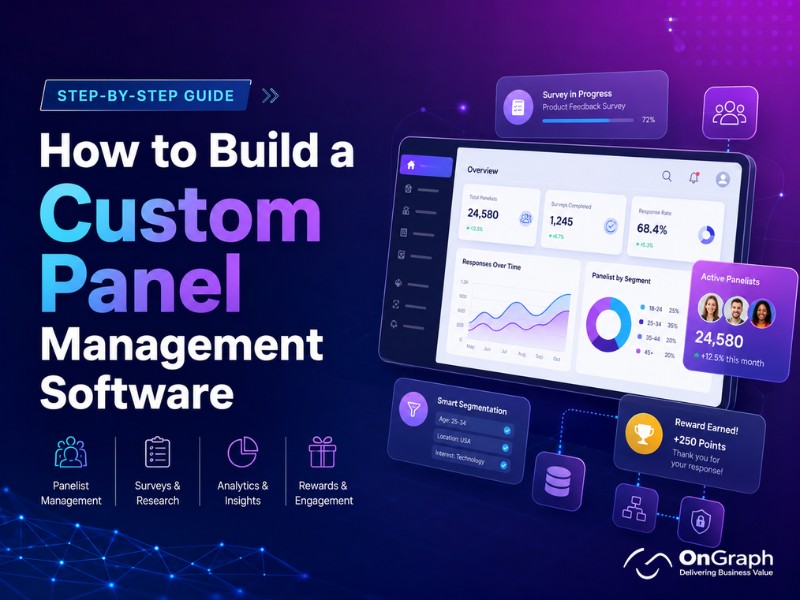
To build a Custom Panel Management Software, start with recruitment, profiling, survey matching, rewards, fraud checks, and reporting.
- Define your panel workflow first.
- Add respondent profiles and segmentation.
- Build survey assignment and reward modules.
- Include data quality controls.
- Connect APIs, dashboards, and admin tools.
Why Businesses Want to Build a Custom Panel Management Software
Many research agencies now want to build a Custom Panel Management Software instead of depending only on third-party panels. A custom platform gives them control over respondents, profiling data, rewards, survey matching, and client reporting.
This matters because the insights industry is becoming software-driven. Research World reported that the global insights industry crossed $150 billion in 2024. It may pass $160 billion by the end of 2025. The same report valued the research software sector at $62 billion.
For agencies, this shift creates a clear opportunity. Clients want faster studies, better targeting, and cleaner data. A custom panel management software helps agencies deliver these outcomes with less manual work.
But the real question comes next. What should your platform include first? Before choosing features, you need to understand what panel management software actually does.
Build Your Own Panel Management Platform
What Is Panel Management Software?
Panel management software helps companies recruit, organize, profile, engage, and reward research participants. These participants are usually pre-qualified people who agree to join surveys, interviews, product tests, or research communities.
QuestionPro explains that panel management software helps businesses recruit, segment, and maintain panel members. It also helps build profiles and target specific panelist groups.
A strong online panel management system usually includes these modules:
- Panelist registration
- Profile surveys
- Respondent segmentation
- Survey assignment
- Reward tracking
- Communication tools
- Fraud checks
- Admin dashboard
- Reporting and analytics
This system is different from a basic survey tool. A survey tool collects answers. A research panel management platform manages the people behind those answers.
Why Build Instead of Using a Ready-Made Tool?
Ready-made tools are useful for simple research programs. They help teams launch quickly and avoid early development effort. But they can become limiting when the business model becomes more specific.
Qualtrics explains that companies can use in-house panels or third-party panels. It also notes that an owned panel gives more control over research and participant profiles.
A custom platform is useful when your agency needs:
- White-label branding
- Multiple client portals
- Owned a panelist database
- Region-wise panel management
- Reward API integration
- Supplier and buyer APIs
- Custom fraud detection
- Advanced profiling logic
- Custom reporting dashboards
This is why many agencies choose panel management software development when they outgrow spreadsheets and disconnected tools.
Ready-Made Tool vs Custom Panel Management Software
| Factor | Ready-Made Tool | Custom Panel Management Software |
| Launch speed | Faster | Needs planning |
| Workflow control | Limited | Fully flexible |
| Branding | Basic | Fully white-label |
| Panel ownership | Vendor-dependent | Fully owned |
| Reward logic | Standard | Customizable |
| Integrations | Limited by vendor | Built around your stack |
| Data model | Fixed | Custom-built |
| Best for | Small teams | Agencies and enterprises |
A ready-made tool can work for early-stage teams. A custom system becomes better when your panel becomes a business asset.
Core Features to Build in a Custom Panel Management Software
The best way to build a Custom Panel Management Software is to think in modules. Each module should solve a real business problem.
1. Panelist Registration and Onboarding
The first module is panelist registration. It should allow users to sign up, verify contact details, accept consent terms, and complete profile questions.
A good onboarding flow should not feel long. It should collect only the most useful data first. Later, the platform can ask more profiling questions over time.
QuestionPro recommends sending a profile survey after members join the panel. It also recommends welcome emails and clear incentive communication.
2. Profile Management and Segmentation
Profiling is the heart of market research panel software. Without strong profiles, your team cannot match the right people to the right studies.
Useful profile fields may include:
- Age group
- Gender
- Location
- Language
- Income range
- Job role
- Industry
- Device usage
- Purchase behavior
- Health or lifestyle category
Segmentation helps create targeted respondent groups. For example, you can target working parents in the UK. You can also target SaaS buyers in the US.
3. Survey Matching and Assignment
Survey matching connects research projects with relevant panelists. This is where the platform becomes operationally valuable.
The system should match panelists based on profile data, eligibility rules, quotas, and past participation. It should also avoid over-contacting the same users.
Forsta’s platform includes a smart sampling engine that automates selection and recurring draws. It also improves sample quality.
4. Reward and Incentive Management
Panelists stay engaged when rewards are clear and timely. Your platform should support points, gift cards, cash rewards, coupons, or custom incentives.
OnGraph’s panel management solution mentions reward API integrations and incentive programs for completed sessions.
A good reward module should include:
- Reward rules
- Points wallet
- Redemption history
- Approval workflow
- Payout integrations
- Fraud review before payout
This keeps panelists motivated. It also protects the business from reward abuse.
5. Fraud Detection and Data Quality Controls
Data quality is a serious issue in online research. Rival Technologies noted that data quality concerns increased 40% year-over-year, based on the 2025 GRIT report.
Your Panel Management Software Solution should detect suspicious behavior before it damages client reports.
Important checks include:
- Duplicate accounts
- Speeding
- Straight-lining
- VPN or proxy signals
- Device fingerprinting
- Mobile verification
- Inconsistent profile answers
- Unusual reward activity
QuestionPro also recommends monitoring panels for speeding, survey gaming, falsification, and straight-lining.
6. Admin Dashboard
The admin dashboard gives your operations team control. It should show panel health, active surveys, pending rewards, fraud alerts, and user activity.
A useful dashboard should answer these questions:
- How many active panelists do we have?
- Which segments are underfilled?
- Which surveys need more completes?
- Which panelists are inactive?
- Which payouts need approval?
- Which users look suspicious?
This helps research teams act faster.
7. Communication and Engagement Tools
A panel is not just a database. It is a community that needs regular communication.
Your system should support email, SMS, WhatsApp, push alerts, and in-app notifications. Messages should be triggered by events like survey invites, reward approvals, and profile updates.
Forsta highlights custom portals where panelists can update profiles, track incentives, and view survey history.
This improves transparency. It also builds long-term trust with panelists.
Turn Panel Operations Into a Scalable Product
Step-by-Step Guide to Building a Custom Panel Management Software
Step 1: Define Your Business Model
Step 2: Map the Panelist Journey
Write the full journey from sign-up to reward redemption. Include registration, consent, profiling, survey invite, completion, quality check, reward approval, and re-engagement.
This journey helps your team avoid missing important screens. It also makes development estimates more accurate.
Step 3: Build the MVP Modules
The first version should not include every feature. Start with the modules that prove business value.
Your MVP should include:
- Admin panel
- Panelist registration
- Profile survey
- Segment filters
- Survey invite system
- Reward wallet
- Fraud flags
- Basic reports
This is the safest way to build a Custom Panel Management Software without overbuilding.
Step 4: Add Survey and API Integrations
Your platform may need to connect with survey tools, CRM systems, rewards vendors, and client dashboards.
OnGraph’s panel management platform mentions reward API integrations, fraud controls, and admin tracking.
Integrations reduce manual work. They also help your system scale across projects.
Step 5: Add Compliance and Consent Controls
Panel platforms collect personal data. That means consent and privacy controls are important.
Great Question notes that modern panel management needs granular consent and erasure workflows.
Your platform should include:
- Consent records
- Privacy policy acceptance
- Data deletion requests
- Exportable user data
- Communication preferences
- Role-based access
These features protect both panelists and your business.
Step 6: Test With Real Projects
After the MVP is ready, test it with one real study. Do not launch across every client at once.
Measure recruitment speed, response rate, fraud flags, reward flow, and admin effort. Then refine the product before scaling.
Step 7: Scale With Advanced Features
Once the core workflow works, add advanced features.
Good next-stage features include:
- Client portals
- Multi-language support
- AI-driven survey matching
- Supplier API marketplace
- Advanced fraud scoring
- Panel health dashboard
- Automated reactivation campaigns
This turns the product from a basic tool into a scalable research platform.
Cost to Build a Panel Management Software
The Cost to build a Panel Management Software depends on features, user roles, integrations, and security needs.
A basic MVP usually includes registration, profiles, segmentation, survey invites, and rewards. An advanced platform may include fraud detection, APIs, multi-client dashboards, and white-label portals.
| Platform Type | Best For | Typical Scope |
| Basic MVP | Startups and small agencies | Registration, profiles, invites, rewards |
| Mid-level platform | Growing research agencies | Segmentation, dashboards, fraud checks |
| Enterprise platform | Large agencies and panel companies | APIs, client portals, compliance, automation |
The right approach is to start with the highest-value workflow. For most agencies, that is recruitment, profiling, survey matching, and rewards.
Mini Case Study 1: Zendesk Used Research Hub to Scale Recruiting
Zendesk introduced User Interviews Research Hub to support self-serve customer recruiting. The case study says Zendesk housed 25,000 research participants in Research Hub. It also saved more than 2.5 hours per project.
The research operations team had two people. Yet it supported 12 UX researchers and over 200 product managers and designers.
This case shows why panel software matters. Without a centralized system, teams depend on scattered tools and manual scheduling.
Mini Case Study 2: Atlassian Built an Accessibility Research Panel
Atlassian used Research Hub to build an accessibility-focused research panel. It used screening and segmentation to recruit Jira and Confluence users who used assistive technology.
The team then ran live usability tests to improve accessibility of core features.
This case shows the value of targeted panels. A custom platform can help companies reach niche users with more precision.
Tips to Choose the Right Panel Management Tool
Before you build a Custom Panel Management Software, compare your needs with existing tools.
Use these Tips to Choose the Right Panel Management Tool:
- Check whether you need owned panel data.
- Review reward and payout flexibility.
- Confirm fraud detection features.
- Test segmentation depth.
- Ask about API integrations.
- Check consent and compliance controls.
- Review admin usability.
- Confirm white-label branding options.
- Compare long-term subscription costs.
- Check whether the tool supports your client workflow.
If most of your needs are standard, a ready tool may work. When your workflows are unique, custom development becomes more useful.
Where OnGraph Fits
OnGraph helps companies build a Custom Panel Management Software for recruitment, profiling, rewards, targeting, and fraud control. Its panel management service supports global panel recruitment, reward integrations, GDPR-aligned controls, fraud checks, and admin workflows.
This is useful for market research agencies, panel companies, healthcare research teams, and enterprises. A custom platform can match your own business model and client delivery process.
Create a Panel Platform Built Around Your Workflow
Build custom panel management software with APIs, dashboards, user roles, and automation for your agency.
Key Takeaways
To build a Custom Panel Management Software, start with the panelist journey. Then add recruitment, profiling, segmentation, survey matching, rewards, and fraud controls.
A custom online panel management system gives agencies more ownership. It also improves targeting, data quality, and client delivery speed.
Ready-made tools are faster to launch. Custom platforms are better for unique workflows, owned panels, and long-term differentiation.
The best system should be simple for panelists and powerful for admins.
Final Thoughts
The decision to build a Custom Panel Management Software should come from a clear business need. If your team only runs occasional surveys, a ready-made tool may be enough.
But if your agency manages recurring studies, niche panels, rewards, fraud checks, and client dashboards, custom software can become a major asset.
A well-built research panel management platform helps you own your audience, reduce manual work, and improve data quality. It also gives your clients a better research experience.
For agencies and enterprises planning long-term growth, custom panel management software development is not only a tech investment. It is a way to build a stronger research business.
FAQs
Custom panel management software is a platform that helps research agencies recruit, manage, segment, and reward survey participants. It allows businesses to build their own respondent database instead of depending only on third-party panel providers. A good system includes panelist registration, profiling, survey matching, reward tracking, fraud detection, and admin reporting. For market research companies, it improves panel ownership, data quality, and project delivery speed.
Agencies should build a custom panel management software when ready-made tools do not match their workflow. A custom platform gives full control over branding, respondent data, survey rules, client dashboards, and reward logic. It also helps agencies manage multiple clients, niche panels, fraud checks, and API integrations from one place. For growing agencies, custom software can become a long-term business asset.
The key features include panelist registration, profile management, segmentation, survey assignment, reward management, fraud detection, admin dashboard, and reporting. Advanced platforms can also include client portals, multi-language support, consent management, automated communication, and third-party API integrations. A strong panel management software solution should make it easy to find the right respondents for each survey and maintain high-quality data.
The cost to build a custom panel management software depends on features, design, integrations, user roles, and security requirements. A basic MVP may include registration, profiles, segmentation, survey invites, and rewards. A more advanced platform may include fraud detection, client dashboards, supplier APIs, reward API integration, and compliance workflows. The best approach is to start with core modules first, then expand after testing real projects.
Ready-made panel management tools are faster to launch and useful for standard research workflows. However, they may limit branding, data ownership, custom logic, and integrations. Custom panel management software is built around your exact business model. It gives more control over panelist data, workflows, rewards, fraud checks, and client reporting. Agencies with unique processes or owned panels usually benefit more from a custom platform.
The timeline depends on the project scope. A basic MVP can take a few weeks to a few months, depending on the features and integrations required. A complete research panel management platform with dashboards, fraud checks, rewards, APIs, and client portals may take longer. To reduce risk, agencies should first build the core workflow, test it with real studies, and then add advanced modules.
A custom panel management software solution is useful for market research agencies, panel companies, healthcare research firms, UX research teams, and enterprises running frequent studies. It is especially valuable for businesses that want to own their respondent database, manage niche audiences, automate rewards, and improve data quality. If your team handles recurring surveys, multiple client projects, or complex targeting, a custom platform can help scale operations.
About the Author

Let’s Create Something Great Together!
Latest Blog


Let’s have a conversation today!


India
ONGRAPH TECHNOLOGIES PRIVATE LIMITED,
SDF L-1, NSEZ,
Sector 81, Block L, Phase-2,
Noida, Uttar Pradesh-201305

USA
OnGraph Technologies,
120 Bethpage Rd, Suite 304,
Hicksville, NY 11801, USA

Canada
7-1039 CEDARGLEN GATE,
Mississauga, Ontario,
Canada L5C 3A7

UK
89 Banstead Road South,
Sutton, Surrey, SM2 5LH
United Kingdom

Malaysia
G-3A, Amaya Maluri, Jalan
Jejaka 2, Taman Maluri,
KL–55100, Malaysia

Singapore
10 Anson Road,#26-04
International Plaza,
Singapore (079903)