


In this article
- Why Build a Self-Service Market Research Platform?
- What Is a Self-Service Market Research Platform?
- How Is a Self-Service Research Platform Different From a Survey Tool?
- Who Should Build a DIY Research Platform?
- Step 1: Define the Research Problem
- Step 2: Choose the Platform Business Model
- Step 3: Plan the Core Platform Modules
- Step 4: Decide What Belongs in the MVP
- Step 5: Choose the Right Technology Approach
- Step 6: Build for Privacy, Consent, and Research Ethics
- Step 7: Design a Simple User Journey
- Case Study 1: SurveyMonkey Expanded Market Research Capabilities
- Case Study 2: Methodify Supported Faster Content Research
- Real-World Platforms to Study
- Custom Market Research SaaS Versus Existing Tools
- When Should You Build Instead of Buy?
- Build a DIY Research Platform With OnGraph
- How to Measure Platform Success
- Common Mistakes to Avoid
- Key Takeaways
- Final Thoughts
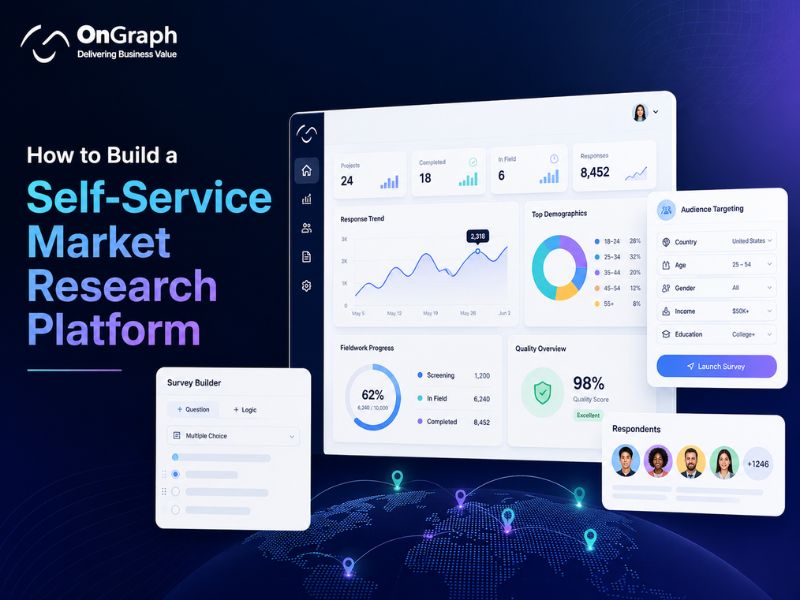
To build a self-service market research platform, combine survey creation, audience targeting, sample access, fieldwork monitoring, data-quality controls, reporting, billing, and administration.
- Start with one clear research use case.
- Build customer and admin workflows first.
- Add reliable sample supplier integrations.
- Include consent and data-quality controls.
- Launch a focused MVP before expanding.
- Use customer behavior to guide future development.
Why Build a Self-Service Market Research Platform?
To build a self-service market research platform, you need more than an online survey builder. Modern research teams expect one connected system where they can create studies, find respondents, monitor fieldwork, review data quality, and analyze results without depending on multiple disconnected tools.
Research agencies may also need branded client workspaces, while enterprises often require secure access, governance controls, integrations, and consistent research standards. A unified platform can connect these workflows and reduce operational complexity.
The broader insights industry exceeded $150 billion during 2024, with research software representing approximately $62 billion of the total market. These figures were reported by Research World using ESOMAR industry data.
Survey software continues to expand as organizations seek faster and more flexible ways to collect customer insights. Mordor Intelligence estimated the survey software market at approximately $4.52 billion in 2025 and projects continued growth through 2031.
These trends show growing demand for technology-enabled research. However, market growth alone does not guarantee product success. A self-service platform must solve a clear research problem and provide a simple user experience.
Build Your Self-Service Research Platform
What Is a Self-Service Market Research Platform?
A self-service market research platform helps users plan, launch, manage, and analyze research independently. Instead of relying on separate tools for every task, users can manage the complete research process from one system.
Typical platform capabilities include:
- Survey creation
- Audience definition
- Feasibility checks
- Sample ordering
- Fieldwork monitoring
- Data-quality checks
- Research analysis
- Report generation
- Team collaboration
- Project administration
Self-service research gives teams direct access to common research workflows. It may reduce coordination time and help organizations launch studies faster.
The platform may support market researchers, marketing teams, product managers, consulting firms, research agencies, panel companies, and enterprise insight teams. A custom solution can also provide branded client workspaces and white-label access.
How Is a Self-Service Research Platform Different From a Survey Tool?
A survey tool mainly helps users create questionnaires and collect responses. A complete self-service research platform manages a broader research lifecycle, including audience access, fieldwork, quality controls, reporting, administration, and billing.
| Capability | Basic Survey Tool | Self-Service Research Platform |
| Survey creation | Included | Included |
| Audience targeting | Limited | Advanced |
| Sample sourcing | Usually external | Built-in or integrated |
| Feasibility checks | Rare | Available |
| Supplier APIs | Limited | Supported |
| Data-quality controls | Basic | Multi-layered |
| Fieldwork monitoring | Basic | Real-time |
| Client workspaces | Limited | Customizable |
| Billing workflows | Standard subscriptions | Custom pricing models |
| White-label branding | Limited | Supported |
| Custom reporting | Moderate | Advanced |
| Research operations | Limited | Centralized |
A basic survey tool may be enough for simple feedback projects. Research agencies and growing businesses often need deeper workflows, stronger customization, and greater control over data and operations.
Who Should Build a DIY Research Platform?
A custom platform is not necessary for every organization. It becomes valuable when standard tools create workflow limitations, restrict product differentiation, or require too many manual workarounds.
Consider custom development when you need:
- Branded client workspaces
- Proprietary research workflows
- Multiple sample suppliers
- Complex audience targeting
- Custom pricing rules
- Enterprise integrations
- Greater data control
- Multi-region operations
- Specialized research methods
- Custom analytics and reporting
Research agencies can use a custom platform to manage multiple clients from one system. Panel companies may connect owned respondents with external sample sources, while enterprises can standardize research across departments.
SaaS founders can also build a specialized research product around a unique method, audience, or workflow. The right approach depends on your business model and long-term product strategy.
Step 1: Define the Research Problem
Do not begin with a long feature list. Start by understanding the customer problem and the research workflow you want to improve.
Ask these questions:
- Who will use the platform?
- Which studies will users conduct?
- How often will they run research?
- Do users need external respondents?
- Which tasks create delays today?
- Which workflows should become self-service?
- Where should research experts remain involved?
A concept-testing platform has different requirements from general survey software. Brand tracking may need recurring projects, trend analysis, and standardized reporting.
B2B research may require specialized audiences, qualification rules, and more complex sampling. Product decisions should always follow user needs rather than feature trends.
Step 2: Choose the Platform Business Model
Your business model affects product architecture, workflows, billing, and user permissions. Define the primary model before development begins.
Internal Research Platform
Employees use the platform across departments. The goal is faster access to insights, better governance, and consistent research standards.
Agency Client Platform
Clients create studies inside branded workspaces. Research experts may provide optional support, review, or managed services.
White-Label Research Software
Agencies resell the platform under their own branding. Multi-tenant architecture, custom domains, and client-level access become important.
Custom Market Research SaaS
Customers subscribe directly to the platform. Billing, onboarding, usage limits, account management, and customer support become essential.
Sample Marketplace
Users purchase respondents through integrated suppliers. Feasibility, pricing, supplier routing, quality checks, and status updates become core platform features.
Choose one primary model first. Combining every business model inside the MVP can increase development time and make the product harder to use.
Step 3: Plan the Core Platform Modules
A strong self-service platform connects several research workflows. The following modules support a complete user journey.
Survey Builder
The survey builder helps users create questionnaires without technical support. It should remain flexible for researchers while being simple enough for non-technical users.
Important features may include:
- Drag-and-drop questions
- Multiple question formats
- Skip logic
- Branching
- Piping
- Randomization
- Validation rules
- Preview mode
- Mobile responsiveness
- Multilingual surveys
QuestionPro states that its platform supports more than 80 question types and over 300 survey templates.
Templates can reduce setup time and support common research use cases. However, users still need control over questionnaire structure, logic, validation, and design.
Audience Targeting
Audience selection directly affects research relevance and data quality. Users should be able to define respondents using clear demographic, behavioral, and professional criteria.
Common targeting filters include:
- Age
- Gender
- Location
- Industry
- Job role
- Income
- Purchase behavior
- Product ownership
- Company size
- Seniority
The platform should clearly display selected criteria and estimated audience availability. Complex targeting may reduce feasibility, increase cost, or extend fieldwork time.
Users should understand these trade-offs before launching a study.
Feasibility and Cost Estimation
Research users need practical information before approving a project. A feasibility engine can help estimate whether the target audience is available and what the study may require.
The system may estimate:
- Available respondents
- Expected incidence
- Sample size
- Estimated cost
- Fieldwork duration
- Required supplier coverage
These estimates depend on supplier data, targeting rules, and historical performance. They should remain transparent and should not be presented as guaranteed outcomes.
A clear feasibility workflow can help users adjust audience criteria before committing to a study.
Sample Supplier Integrations
Many self-service platforms connect with external respondent suppliers. Supplier APIs can automate feasibility, pricing, project creation, and fieldwork updates.
Common integration capabilities include:
- Audience availability
- Feasibility estimates
- Pricing
- Project creation
- Survey redirects
- Quota updates
- Completion status
- Quality indicators
Multiple suppliers can increase reach and improve access to niche audiences. However, each integration may use different data structures, status codes, pricing rules, and workflows.
The platform needs consistent mapping across all suppliers. Good integration design can reduce manual coordination and improve project visibility.
Fieldwork Dashboard
Users need real-time visibility after a study launches. A fieldwork dashboard should present important performance indicators in a clear and actionable format.
The dashboard may include:
- Survey starts
- Completed responses
- Terminations
- Quota progress
- Incidence rate
- Completion rate
- Supplier performance
- Study spending
Real-time visibility can reduce manual reporting and help research teams identify problems earlier. Users may need to pause suppliers, adjust quotas, or review data quality during fieldwork.
The dashboard should prioritize decisions rather than display unnecessary metrics.
Fraud Detection and Data-Quality Controls
Research quality requires more than collecting a large number of responses. A self-service platform should include controls that help identify suspicious behavior and low-quality data.
Useful checks may include:
- Duplicate detection
- IP checks
- Device checks
- Speeding detection
- Straight-lining checks
- Open-text review
- Attention questions
- Suspicious behavior flags
Automated checks should support human review. False positives can occur, especially when multiple respondents share networks or devices.
The platform should explain major quality decisions and allow authorized users to review flagged responses.
For deeper guidance, explore OnGraph’s market research fraud detection solution.
Reporting and Analytics
Users expect research results to be clear and easy to interpret. Reporting features should support both non-technical stakeholders and experienced researchers.
Common capabilities include:
- Response summaries
- Cross-tabulation
- Filters
- Charts
- Data exports
- Segment comparisons
- Shared dashboards
- Report downloads
The platform should make standard analysis accessible without removing advanced options. Experienced users may still need raw data exports for deeper analysis in external tools.
User and Role Management
Research platforms often serve clients, researchers, analysts, administrators, and finance teams. Each user group requires different permissions.
Common roles include:
- Platform administrator
- Research manager
- Client user
- Analyst
- Finance user
- Viewer
Role-based access helps protect sensitive information and limits unauthorized actions. Enterprise users may also require single sign-on and custom permission groups.
Audit logs can improve accountability by recording important user and system activities.
Billing and Usage Management
A commercial platform needs clear billing and usage workflows. The selected model should align with customer expectations and platform economics.
Common pricing models include:
- Monthly subscriptions
- Annual subscriptions
- Usage credits
- Cost per complete
- Sample markup
- Project fees
- White-label licensing
- API access fees
Pricing should remain easy to understand. Complex billing rules can create confusion and increase support requirements.
Start with a simple model that supports your primary customer segment.
What Affects Self-Service Research Platform Development Cost?
Development cost depends on platform scope, workflow complexity, integrations, security requirements, and the number of user roles.
Important cost factors include:
- Survey-builder complexity
- User roles and permissions
- Sample supplier integrations
- Reporting requirements
- Fraud detection workflows
- White-label capabilities
- Billing models
- Data migration
- Security requirements
- Third-party services
| Platform Scope | Typical Capability | Relative Investment |
| Focused MVP | Survey builder, users, basic reporting | Lower |
| Growth Platform | Targeting, sample integration, quality controls | Medium |
| Advanced SaaS | Multi-tenant access, billing, white-label portals | Higher |
| Enterprise Platform | Custom workflows, integrations, governance | Highest |
These levels describe relative development complexity. Final pricing requires a project-specific discovery process and a clearly documented feature scope.
Plan Your Market Research Platform With Experts
Step 4: Decide What Belongs in the MVP
A large platform can become expensive and difficult to validate. Build only the workflows required to test your core product idea.
A practical MVP may include:
- User registration
- Survey builder
- Basic audience targeting
- One sample supplier
- Project dashboard
- Basic quality checks
- Standard reporting
- Admin controls
Advanced capabilities can follow after launch.
These may include:
- Multiple suppliers
- Complex research methods
- Automated insights
- Enterprise permissions
- White-label portals
- Advanced billing
- Custom analytics
An MVP should validate product demand and user behavior. It should not imitate every established research platform.
MVP Versus Advanced Platform
| Capability | MVP | Advanced Platform |
| Survey builder | Core questions | Advanced research logic |
| Templates | Limited | Large template library |
| Audience | Standard targeting | Complex segmentation |
| Sample access | One supplier | Multi-supplier routing |
| Quality checks | Basic | Multi-layer controls |
| Reporting | Standard charts | Advanced analytics |
| Branding | Basic | Full white-label |
| User roles | Basic | Enterprise permissions |
| Billing | Simple | Usage and contract billing |
| Integrations | Limited | CRM, BI, and API ecosystem |
Start with one focused outcome. Expand after users complete real studies and provide meaningful feedback.
Step 5: Choose the Right Technology Approach
Technology choices should support long-term product requirements, security, scalability, and integration needs.
Important decisions include:
- Web architecture
- Backend framework
- Database design
- Cloud infrastructure
- API strategy
- Authentication
- Reporting technology
- Monitoring
- Security controls
A multi-tenant SaaS platform needs strong separation between customer accounts. Large studies may require scalable data processing and efficient reporting systems.
Technical decisions should follow business requirements. Avoid selecting technologies only because they are popular.
Step 6: Build for Privacy, Consent, and Research Ethics
Research platforms process respondent information and may handle sensitive business data. Privacy should remain part of product design from the beginning.
Important controls include:
- Clear consent records
- Respondent withdrawal workflows
- Data deletion requests
- Data export requests
- Data minimization
- Encryption in transit
- Encryption at rest
- Role-based access
- Data retention rules
- Audit logs
- Data residency controls
- Supplier agreements
Compliance depends on product configuration, hosting, contracts, internal processes, and applicable laws. A qualified legal or compliance professional should review requirements before launch.
Do not claim automatic GDPR, CCPA, HIPAA, or SOC 2 compliance. Research teams should also document ethical practices and explain how respondent data is collected, used, and retained.
Step 7: Design a Simple User Journey
Self-service software should reduce effort and help users understand the next action. Complex research tasks need clear instructions and contextual guidance.
A simple workflow may look like this:
- Create a research project.
- Select a study template.
- Build the questionnaire.
- Define the audience.
- Review feasibility.
- Confirm the project budget.
- Launch fieldwork.
- Monitor progress.
- Review results.
- Export findings.
Avoid overwhelming new users with advanced settings. Progressive guidance can make complex research workflows easier to complete.
Case Study 1: SurveyMonkey Expanded Market Research Capabilities
SurveyMonkey expanded several market research capabilities during 2025. The updates improved audience targeting, scheduling, analysis controls, and access to global respondents.
What Product Teams Can Learn
Self-service users need more than questionnaire creation. They also need audience access, study management, and connected workflows.
Platform value increases when users can complete more research tasks without switching between multiple systems.
Case Study Note:
This example demonstrates product evolution and self-service research workflows. It is not a benchmark for OnGraph development cost or implementation time.
Case Study 2: Methodify Supported Faster Content Research
Sago described a consulting company using Methodify for content research. The team studied audience interests before developing marketing content and used the findings during content planning.
What Founders Can Learn
Focused use cases can simplify product adoption. Users understand platform value faster when the expected outcome is clear.
Start with high-frequency research workflows before adding advanced methods.
Case Study Note:
This example illustrates a self-service research use case. It does not represent an OnGraph customer result.
Real-World Platforms to Study
Do not copy another platform. Study how different products solve specific customer and research problems.
SurveyMonkey
Study survey creation, templates, accessibility, and broad market adoption.
SurveyMonkey states that more than 260,000 brands use its platform.
Pollfish
Study audience targeting, rapid survey launches, and usage-based research workflows.
QuestionPro
Study advanced survey logic, research templates, and questionnaire customization.
Quantilope
Study automated research methods, advanced testing workflows, and connected research processes.
SurveyJS
Study embedded survey builders, application integration, and data control.
Formbricks
Study self-hosted survey deployments and data ownership options.
Each platform follows a different product strategy. Your platform should solve a defined market need rather than copy an existing feature list.
Custom Market Research SaaS Versus Existing Tools
Existing software may suit standard research requirements. Custom development provides greater control over workflows, branding, integrations, data, and product strategy.
| Factor | Existing Research Tool | Custom Market Research SaaS |
| Launch speed | Faster | Longer |
| Initial investment | Lower | Higher |
| Branding | Limited | Full control |
| Custom workflows | Limited | Flexible |
| Data ownership | Vendor-dependent | Configurable |
| Supplier integrations | Predefined | Custom |
| Pricing model | Vendor-controlled | Business-controlled |
| Differentiation | Limited | Stronger |
| Maintenance | Vendor-managed | Your responsibility |
Choose an existing platform when your research workflows are standard and fast implementation matters most. Consider custom development when software creates strategic business value or supports a differentiated service model.
When Should You Build Instead of Buy?
Custom development may make sense when:
- Your workflow creates competitive value.
- Existing tools require many manual workarounds.
- You need proprietary research methods.
- Multiple supplier integrations are required.
- Clients need white-label workspaces.
- Vendor pricing limits scalability.
- You need stronger control over data.
- Product ownership supports long-term growth.
Existing tools may be better when:
- Research workflows are standard.
- Fast implementation is the priority.
- Custom integrations are unnecessary.
- Unique product differentiation is not required.
Choose based on business requirements, not feature quantity. A smaller custom platform can create more value than a large tool that does not match your workflow.
Build a DIY Research Platform With OnGraph
OnGraph builds custom DIY research platforms for agencies, panel companies, and enterprises. Our solutions can support connected workflows across survey creation, sample sourcing, fieldwork, quality control, reporting, and administration.
Platform capabilities may include:
- Survey creation
- Audience targeting
- Feasibility
- Sample integrations
- Data-quality controls
- Fieldwork dashboards
- Research reporting
- User management
- White-label branding
- Custom APIs
OnGraph works with research businesses to design software around respondents, suppliers, project workflows, dashboards, and client requirements.
Explore OnGraph’s DIY market research platform development services.
Launch a Branded DIY Research Platform
Build a white-label research solution with survey tools, dashboards, client workspaces, integrations, and custom branding.
How to Measure Platform Success
Track product adoption and research outcomes after launch. Registrations alone do not show whether users receive value.
Useful metrics include:
- Projects created
- Studies launched
- Study completion rate
- Time to launch
- Active users
- Repeat studies
- Average project value
- Supplier performance
- Support requests
- Customer retention
Completed research projects create business value. Monitor where users stop, request support, or abandon a workflow.
Use real behavior to guide future product improvements.
Common Mistakes to Avoid
Building Too Many Features
Large feature lists delay validation and increase cost. Start with essential workflows that support the first customer outcome.
Ignoring Research Quality
Fast responses do not always produce useful data. Add quality controls during the MVP stage.
Adding Too Many Suppliers
Multiple APIs increase integration and operational complexity. Begin with reliable suppliers that cover your primary audience.
Providing Weak User Guidance
Research decisions can become difficult for non-technical users. Use templates, examples, and contextual support.
Ignoring Governance
Research teams need consistent standards and controlled access. Include permissions, approvals, and review workflows where required.
Treating Automation as a Replacement for Expertise
Software can simplify repetitive tasks. Complex research may still require expert review, methodological guidance, or human judgment.
Key Takeaways
- To build a self-service market research platform, begin with one clear use case.
- A complete platform extends beyond survey creation.
- Audience targeting and sample access support deeper research workflows.
- Data-quality controls improve research reliability.
- Real-time fieldwork improves project visibility.
- A focused MVP can reduce development risk.
- Custom SaaS provides stronger workflow and branding control.
- Privacy should remain part of product design.
- Supplier integrations require careful planning.
- Real user behavior should guide future development.
Final Thoughts
To build a self-service market research platform, focus on customer outcomes before selecting features. The platform should simplify research without reducing quality, transparency, or control.
Survey creation is only one component. Audience access, fieldwork, fraud controls, reporting, governance, privacy, and administration also influence product value.
Begin with one market and a clear workflow. Launch a focused MVP, observe how users complete real projects, and improve the platform using actual customer behavior.
A successful research product does not need every available feature. It needs reliable workflows that help users make better decisions.
FAQs
To build a self-service market research platform, start by defining the target users, research use cases, and workflows. Decide whether the platform will serve research agencies, enterprises, panel companies, consultants, or direct SaaS customers.
The core platform usually includes:
- Survey creation
- Audience targeting
- Sample supplier integrations
- Feasibility checks
- Fieldwork monitoring
- Data-quality controls
- Reporting and analytics
- User management
- Admin controls
Start with a focused MVP instead of building every feature at once. Launch the essential workflows first, study how users complete research projects, and add advanced capabilities based on real product usage.
A strong self-service research platform should support the complete research workflow, not only survey creation.
Core features may include:
- Drag-and-drop survey builder
- Advanced survey logic
- Audience segmentation
- Sample sourcing
- Feasibility estimates
- Project cost estimates
- Real-time fieldwork tracking
- Quota management
- Fraud detection
- Data-quality checks
- Reporting dashboards
- Data exports
- Team collaboration
- Role-based access
Commercial platforms may also need billing, white-label branding, client workspaces, supplier APIs, and custom integrations.
The final feature set should match the target audience and business model.
The cost depends on platform scope, integrations, reporting requirements, security, user roles, and customization.
A focused MVP usually requires less development than a multi-tenant enterprise platform. Costs may increase when the platform includes multiple sample suppliers, white-label portals, advanced analytics, custom billing, complex survey logic, or proprietary research methods.
Important cost factors include:
- Survey-builder complexity
- Number of user roles
- Supplier API integrations
- Fraud detection workflows
- Reporting requirements
- Data migration
- Cloud infrastructure
- Security controls
- Post-launch support
A project-specific discovery process provides a more accurate estimate than a generic online price range.
Survey software mainly helps users create questionnaires, distribute surveys, and collect responses.
Self-service research software supports a wider research lifecycle.
It may include:
- Audience targeting
- Sample sourcing
- Feasibility checks
- Fieldwork management
- Quota monitoring
- Fraud detection
- Data-quality review
- Reporting
- Billing
- Client workspaces
A basic survey tool may work well for simple feedback projects. Research agencies and growing enterprises may need a complete platform to manage respondents, suppliers, projects, quality, and reporting from one system.
The right choice depends on workflow complexity, launch speed, budget, and long-term product goals.
An existing platform may be better when:
- Research workflows are standard
- Fast implementation is important
- Custom integrations are unnecessary
- Limited branding is acceptable
Custom development may be better when:
- You need proprietary research workflows
- Clients require white-label access
- Multiple supplier integrations are needed
- Existing tools create manual work
- You need control over pricing and branding
- Product ownership supports long-term growth
A custom platform requires more planning and ongoing maintenance. However, it can provide stronger differentiation and greater control over research operations.
About the Author

Let’s Create Something Great Together!
Latest Blog


Let’s have a conversation today!


India
ONGRAPH TECHNOLOGIES PRIVATE LIMITED,
SDF L-1, NSEZ,
Sector 81, Block L, Phase-2,
Noida, Uttar Pradesh-201305

USA
OnGraph Technologies,
120 Bethpage Rd, Suite 304,
Hicksville, NY 11801, USA

Canada
7-1039 CEDARGLEN GATE,
Mississauga, Ontario,
Canada L5C 3A7

UK
89 Banstead Road South,
Sutton, Surrey, SM2 5LH
United Kingdom

Malaysia
G-3A, Amaya Maluri, Jalan
Jejaka 2, Taman Maluri,
KL–55100, Malaysia

Singapore
10 Anson Road,#26-04
International Plaza,
Singapore (079903)