


In this article
- Why Market Research Workflow Automation Matters
- What Is Market Research Workflow Automation?
- Why Manual Research Operations Create Problems
- Manual Operations Versus an Automated Research Workflow
- A Practical Research Operations Automation Blueprint
- How to Automate Market Research Operations From Bid to Final Report
- Core Features of Market Research Automation Software
- What Should You Automate First?
- Market Research Workflow Automation Maturity Model
- What Affects Market Research Automation Platform Development Cost?
- Mini Case Study 1: LRW Reduced Delivery Time
- Mini Case Study 2: Robas Research Automation
- Real-World Platforms and Workflows to Study
- Custom Market Research Software Versus Existing Tools
- When Should You Build Custom Research Project Workflow Software?
- How to Implement Market Research Workflow Automation
- Metrics to Track After Automation
- Risks and Compliance Considerations
- Build Market Research Automation Software With OnGraph
- Key Takeaways
- Final Thoughts
Market research workflow automation connects bids, feasibility, suppliers, projects, fieldwork, reporting, and invoicing within one system. It helps research teams reduce manual work, improve visibility, and standardize project delivery.
- Automate repetitive operational tasks.
- Keep project data in one platform.
- Track quotas, costs, and suppliers.
- Reduce manual reporting and handoffs.
- Add human review at critical decisions.
- Measure speed, quality, and profitability.
Why Market Research Workflow Automation Matters
Market research workflow automation helps agencies manage projects without relying on disconnected spreadsheets, emails, survey tools, supplier portals, and finance systems. A connected platform can move project information from the client brief through delivery without repeated manual entry.
Research operations usually involve bid managers, researchers, fieldwork teams, suppliers, analysts, finance staff, and clients. When each team works in a different system, information can become fragmented, delayed, or difficult to verify.
This fragmentation may create duplicate work, missing updates, inconsistent reporting, and limited cost visibility. Automation can connect these activities while keeping important research and commercial decisions under human control.
The Market Research Society of India reported that India’s research and insights industry reached INR 29,008 crore during FY2025. The industry grew by 10.9% compared with the previous financial year.
Industry growth creates more opportunities for research businesses. It also increases pressure to deliver studies faster, maintain data quality, and protect project margins.
Automate Your Research Workflow End to End
What Is Market Research Workflow Automation?
Market research workflow automation uses software to coordinate repeated tasks across the complete project lifecycle. The platform can move information, trigger actions, update records, generate alerts, and maintain project status.
A complete workflow may include:
- Client brief
- Bid request
- Feasibility
- Cost estimation
- Proposal approval
- Project setup
- Supplier selection
- Questionnaire management
- Survey programming
- Fieldwork
- Quota tracking
- Data-quality review
- Analysis
- Reporting
- Invoicing
- Project closure
Automation does not remove research expertise. It reduces repetitive administration so teams can focus on methodology, quality, insight interpretation, and client decisions.
This guide focuses on automating the complete research operations lifecycle. It covers workflow design rather than comparing individual project-management tools.
Why Manual Research Operations Create Problems
Many research agencies still manage projects through spreadsheets, email threads, shared folders, and separate vendor portals. Each tool may work independently, but the full workflow can become difficult to manage.
Project teams may enter the same information several times. Supplier updates may remain in emails, while finance teams may use separate cost records.
Common operational problems include:
- Repeated data entry
- Missing project updates
- Delayed approvals
- Inconsistent supplier information
- Limited cost visibility
- Manual quota tracking
- Duplicate reports
- Invoice errors
- Weak audit trails
The problem is not always the number of tools. The larger issue is the lack of connected information between them.
Manual Operations Versus an Automated Research Workflow
| Workflow Area | Manual Process | Automated Process |
| Client brief | Email and documents | Standard digital intake |
| Bid creation | Spreadsheets | Reusable pricing rules |
| Feasibility | Multiple supplier messages | Connected supplier responses |
| Project setup | Repeated data entry | Automatic project creation |
| Approvals | Email follow-ups | Role-based approval workflow |
| Fieldwork | Manual status checks | Live dashboard |
| Quotas | Spreadsheet tracking | Real-time alerts |
| Supplier costs | Separate records | Centralized cost tracking |
| Reporting | Manual exports | Scheduled outputs |
| Invoicing | Finance handoff | Project-linked billing |
| Project history | Scattered folders | Central project record |
A connected research project workflow software platform creates one operational record for each project. Every team can access relevant information without recreating the same data.
A Practical Research Operations Automation Blueprint
| Workflow Stage | Automation Opportunity | Human Review Required |
| Client brief | Structured intake and validation | Research objective review |
| Bid | Rate cards and standard calculations | Margin and methodology approval |
| Feasibility | Supplier response aggregation | Audience viability review |
| Project setup | Automatic record creation | Final scope confirmation |
| Fieldwork | Live dashboards and alerts | Supplier and quota decisions |
| Data quality | Automated response flags | Final rejection decisions |
| Reporting | Standard charts and exports | Insight interpretation |
| Invoicing | Draft invoice generation | Finance approval |
The best automation strategy does not remove all manual work. It reduces repetitive work while preserving expert review where judgment affects quality, cost, or client outcomes.
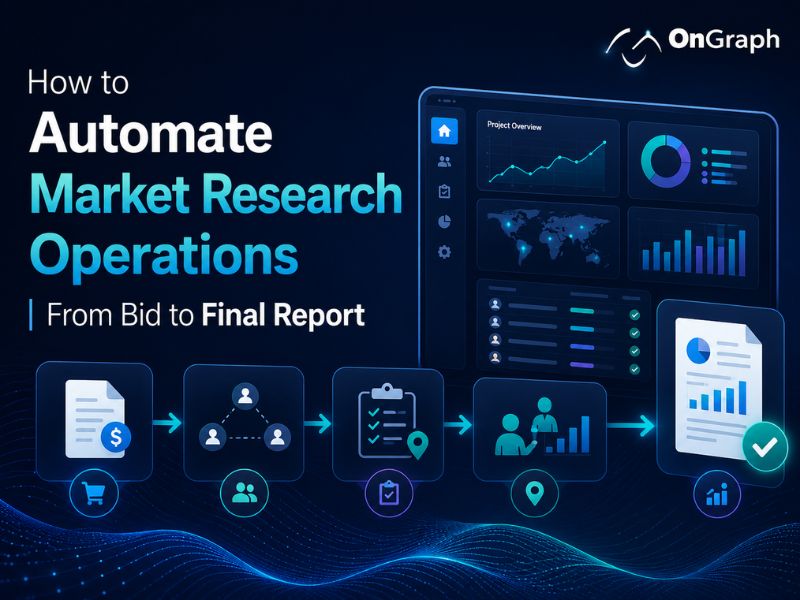
How to Automate Market Research Operations From Bid to Final Report
Step 1: Standardize Client Brief Collection
Automation should begin before the bid is created. A structured client intake form can capture project requirements consistently and reduce missing information.
The brief may collect:
- Research objective
- Target audience
- Markets
- Methodology
- Sample size
- Timeline
- Deliverables
- Budget expectations
- Required approvals
Standard fields can help the system create an initial opportunity or project record. Complex briefs should still receive expert review before pricing or feasibility begins.
Step 2: Automate Bid and Proposal Creation
Bid creation often requires repeated calculations, supplier estimates, and internal approvals. A market research automation platform can use standard rate cards and reusable templates to prepare initial estimates.
The system may support:
- Standard pricing rules
- Country-level rates
- Sample costs
- Supplier estimates
- Internal margins
- Optional services
- Currency conversion
- Approval limits
- Proposal templates
Teams can generate initial estimates faster without losing visibility into pricing assumptions. Senior users should review unusual projects, low margins, or complex methodologies before proposals reach clients.
Step 3: Connect Feasibility and Sample Suppliers
Feasibility determines whether the target audience can be reached within the required timeline and budget. Manual feasibility may involve separate emails, spreadsheets, and supplier portals.
Supplier integrations may exchange:
- Audience criteria
- Estimated incidence
- Available sample
- Cost per complete
- Expected field time
- Geographic coverage
- Project status
A central system can compare supplier responses using consistent fields. Research teams can then consider cost, quality, capacity, past performance, and client requirements.
Multiple integrations increase technical complexity. Supplier data should be mapped and validated before automated decisions are used.
Step 4: Create Projects Automatically After Approval
Approved bids should not require operations teams to recreate project information manually. The platform can convert accepted proposals into active project records.
Automatic setup may include:
- Project identifier
- Client information
- Approved budget
- Project timeline
- Team assignments
- Supplier records
- Deliverables
- Approval history
- Billing information
This connection reduces repeated entry and improves continuity between commercial and delivery teams. Project managers should review generated records before the project moves into fieldwork.
Step 5: Create Role-Based Tasks and Approvals
Research projects involve many contributors with different responsibilities. Clear assignments and approval rules help teams avoid missed actions and unclear ownership.
The platform may assign:
- Questionnaire review
- Survey programming
- Supplier approval
- Quality review
- Fieldwork monitoring
- Data delivery
- Report preparation
- Invoice approval
Notifications can remind users about pending tasks. Escalation rules may alert managers when deadlines or approvals remain unresolved.
Avoid sending too many alerts. Notifications should focus on actions that affect delivery, quality, cost, or client commitments.
Step 6: Connect Questionnaire and Survey Workflows
Questionnaire management can create version-control problems when teams exchange several documents. A connected workflow helps researchers review, approve, and track changes from one place.
The system may support:
- Questionnaire uploads
- Reviewer comments
- Version history
- Approval status
- Programming assignments
- Testing checklists
- Launch approval
Automation can reduce repetitive setup and administrative work. Human review remains important for wording, logic, bias, methodology, and research validity.
Step 7: Monitor Fieldwork in Real Time
Fieldwork is one of the most valuable areas for market research workflow automation. Project teams need current information without requesting updates from every supplier.
A fieldwork dashboard may show:
- Survey starts
- Completed responses
- Screen-outs
- Terminations
- Incidence rate
- Conversion rate
- Quota progress
- Supplier performance
- Project spending
- Estimated completion time
Automated alerts can identify slow quotas, unusual response patterns, or supplier underperformance. Project managers can then review the issue and decide whether to adjust allocation, timing, or targeting.
A dashboard should support decisions rather than display unnecessary metrics.
Step 8: Automate Quota and Supplier Management
Quota monitoring becomes difficult across multiple markets and suppliers. A connected system can update progress using live fieldwork information and standardized project rules.
Useful controls include:
- Quota thresholds
- Remaining requirements
- Supplier allocation
- Automatic pause rules
- Over-quota protection
- Cost tracking
- Supplier performance scorecards
The platform may recommend supplier changes. Final decisions should consider data quality, client commitments, regional conditions, and project risk.
Automation supports faster action. It should not remove accountability.
Step 9: Add Data-Quality Controls
Fast fieldwork does not guarantee reliable data. Quality controls should remain connected to the project workflow rather than operating as a separate process.
Useful checks may include:
- Duplicate respondents
- IP review
- Device checks
- Speeding
- Straight-lining
- Failed attention checks
- Suspicious open-text responses
- Inconsistent answers
Flagged responses may require human review. Automatic removal can create false positives when respondents share devices, workplaces, or networks.
Quality rules should remain visible, configurable, and reviewable.
Step 10: Automate Reporting and Deliverables
Reporting often requires repeated exports, chart creation, formatting, and delivery work. Automation can reduce repetitive production while keeping researchers responsible for interpretation.
Possible outputs include:
- Live dashboards
- Standard charts
- Cross-tabulations
- Data exports
- Branded reports
- Scheduled updates
- Presentation outputs
Automated reporting should make results easier to access. Researchers still need to explain findings, business implications, limitations, and recommended actions.
Step 11: Connect Invoicing With Project Data
Finance teams need accurate information about approved bids, supplier costs, additional work, and final delivery. Manual handoffs can create invoice delays or mismatches.
The platform may connect invoices with:
- Approved proposal
- Actual sample costs
- Supplier charges
- Additional services
- Currency
- Client payment terms
- Project completion
Automated invoice preparation can reduce repeated entry. Finance users should still review and approve final invoices before release.
Project-linked billing also supports better revenue and margin visibility.
Step 12: Close the Project and Preserve Knowledge
Project closure should create a reusable operational record. Important information often becomes difficult to find after delivery.
The platform may retain:
- Final questionnaire
- Supplier performance
- Actual project costs
- Final sample details
- Quality findings
- Reports
- Client feedback
- Lessons learned
Historical information can improve future pricing, planning, and supplier selection. Access controls should protect client confidentiality and sensitive project information.
Turn Manual Research Processes Into Smart Workflows
Core Features of Market Research Automation Software
A complete Market Research Automation Software platform may include several connected modules.
| Module | Core Purpose |
| Client intake | Capture structured project requirements |
| Bid management | Create proposals and estimates |
| Feasibility | Review audience availability |
| Supplier management | Compare costs and performance |
| Project dashboard | Track milestones and ownership |
| Questionnaire workflow | Manage versions and approvals |
| Fieldwork | Monitor live progress |
| Quota management | Track remaining targets |
| Quality control | Flag suspicious responses |
| Reporting | Create dashboards and outputs |
| Finance | Track costs, margins, and invoices |
| Administration | Manage users and permissions |
The correct feature set depends on your operating model. Smaller agencies may begin with project management, supplier coordination, fieldwork, and reporting workflows.
What Should You Automate First?
Not every process should be automated at once. Begin with high-volume tasks that follow clear rules and create measurable operational value.
Good early automation opportunities include:
- Project creation
- Standard bid calculations
- Task assignments
- Deadline reminders
- Fieldwork updates
- Quota alerts
- Standard reports
- Draft invoice preparation
Human review should remain important for:
- Research design
- Methodology
- Complex pricing
- Supplier selection
- Quality exceptions
- Insight interpretation
- Client recommendations
This balance can improve efficiency without weakening research rigor.
Market Research Workflow Automation Maturity Model
| Stage | Current Process | Recommended Focus |
| Stage 1 | Spreadsheets and email | Standardize information |
| Stage 2 | Separate digital tools | Connect systems |
| Stage 3 | Central project platform | Automate repeated tasks |
| Stage 4 | Integrated suppliers and reports | Reduce handoffs |
| Stage 5 | Predictive operations | Improve planning decisions |
Avoid advanced automation before standardizing workflows. Poor processes can become harder to manage when software automates inconsistent rules.
What Affects Market Research Automation Platform Development Cost?
Development investment depends on platform scope, integrations, workflow complexity, user roles, reporting needs, and data migration requirements.
Important cost factors include:
- Bid and pricing logic
- Supplier API integrations
- Survey-platform integrations
- Multi-client workspaces
- Fieldwork dashboards
- Cost and margin tracking
- Automated reporting
- Invoice workflows
- Data migration
- Security requirements
| Platform Scope | Typical Capabilities | Relative Investment |
| Operations MVP | Projects, tasks, suppliers, fieldwork | Lower |
| Growth Platform | Bids, quotas, costs, reporting | Medium |
| Advanced Platform | Multiple integrations and client portals | Higher |
| Enterprise System | Custom workflows, governance, multi-region support | Highest |
These levels show relative implementation complexity. Final pricing requires a project-specific discovery process.
Mini Case Study 1: LRW Reduced Delivery Time
Forsta reports that Lieberman Research Worldwide reduced client delivery time by 30%. The company also reduced quality-assurance effort by more than 50%.
The workflow created clearer reporting across large tracking programs. One example involved hundreds of reports across 40 markets.
What Research Teams Can Learn
Connected data and reporting workflows can reduce repeated production work. Standardized outputs may also help teams review complex research programs more efficiently.
Mini Case Study 2: Robas Research Automation
Ekfrazo reports that Robas Research achieved 60% faster project turnaround using a custom research platform. The published case study also reports three times higher panel engagement.
The solution supported research operations across more than 20 sectors.
What Product Teams Can Learn
Custom software may improve operations when it solves defined workflow problems. Results depend on process design, implementation quality, user adoption, and data reliability.
Real-World Platforms and Workflows to Study
Different research platforms solve different operational problems. Study their approaches without copying proprietary workflows or product assets.
Qualtrics
Study unified research methods, connected insights, and workflow automation. Its platform supports multiple research activities within a broader experience-management environment.
Forsta
Study connected data collection, panel management, analytics, and reporting. Its product approach highlights integration across research workflows.
QuestionPro
Study survey creation, data collection, analysis, and research management workflows. Its platform supports several research and feedback use cases.
OnGraph
Study the connection between bids, suppliers, project operations, reporting, invoices, and custom dashboards.
Each platform follows a different product strategy. Your software should match your research methods, operating model, customers, and team structure.
Custom Market Research Software Versus Existing Tools
Existing software may work well for standard research workflows. Custom development may provide greater control over processes, integrations, pricing, and product ownership.
| Factor | Existing Software | Custom Research Platform |
| Launch speed | Faster | Longer |
| Initial investment | Lower | Higher |
| Workflow flexibility | Limited | High |
| Custom integrations | Vendor-dependent | Configurable |
| Branding | Limited | Full control |
| Pricing rules | Vendor-controlled | Custom |
| Data model | Standard | Business-specific |
| Maintenance | Vendor-managed | Your responsibility |
Choose existing software when your workflows are standard and fast implementation matters most. Consider custom development when operational processes create strategic or competitive value.
When Should You Build Custom Research Project Workflow Software?
Custom development may make sense when:
- Existing tools require manual workarounds.
- Bid and pricing rules are unique.
- Multiple suppliers require integration.
- Project data remains fragmented.
- Clients need custom portals.
- Margin tracking is difficult.
- Teams need workflow-specific approvals.
- Reporting requires custom outputs.
A Market Research Software Development Company should review existing workflows before proposing technology. The objective should be measurable operational improvement rather than additional software complexity.
How to Implement Market Research Workflow Automation
Phase 1: Audit Current Operations
Document every workflow from client brief to invoice. Identify repeated entry, delays, manual handoffs, and missing information.
Phase 2: Prioritize High-Value Processes
Rank opportunities using frequency, effort, risk, and business impact. Begin with workflows that follow clear rules.
Phase 3: Standardize Data
Create consistent fields for clients, projects, suppliers, costs, quotas, and deliverables. Reliable automation depends on reliable information.
Phase 4: Build an MVP
Develop core project, supplier, fieldwork, and reporting workflows first. Avoid adding every advanced feature during the initial release.
Phase 5: Integrate Systems
Connect survey tools, suppliers, finance systems, and reporting platforms. Test integrations using real project scenarios.
Phase 6: Train Users
Explain how workflows, roles, approvals, and responsibilities will change. Adoption is essential for accurate operational data.
Phase 7: Measure Results
Track speed, quality, cost, usage, and profitability. Use actual performance data to guide future improvements.
Metrics to Track After Automation
Measure business and operational outcomes instead of feature usage alone.
Useful metrics include:
- Bid turnaround time
- Bid conversion rate
- Project setup time
- Fieldwork duration
- Quota completion
- Supplier response time
- Supplier conversion
- Quality rejection rate
- Report delivery time
- Invoice turnaround time
- Project margin
- Manual hours saved
Create baseline measurements before implementation. Compare performance after teams adopt the new workflow.
Risks and Compliance Considerations
Research platforms may process client, participant, supplier, project, and financial information. Security and privacy requirements should be addressed during product design.
Important controls may include:
- Role-based access
- Audit logs
- Encryption
- Consent records
- Data retention rules
- Data deletion workflows
- Supplier agreements
- Data residency controls
- Incident monitoring
- Access reviews
Compliance depends on platform configuration, contracts, hosting, internal processes, and applicable laws. Qualified legal, privacy, and security professionals should review relevant requirements.
Automation rules should remain documented and reviewable. Teams should retain appropriate human oversight for respondent exclusions, supplier decisions, pricing exceptions, and final research interpretation.
Build Market Research Automation Software With OnGraph
OnGraph develops custom software for research agencies, panel companies, and enterprise research teams. Our solutions can connect commercial, operational, fieldwork, reporting, and financial workflows.
Potential capabilities include:
- Bid and proposal management
- Client project management
- Supplier integrations
- Feasibility workflows
- Survey project tracking
- Fieldwork dashboards
- Quota monitoring
- Cost and margin tracking
- Custom reporting
- Invoice workflows
- Role-based access
- Third-party integrations
OnGraph designs research project management solutions around operational requirements. These may include bid creation, supplier coordination, fieldwork tracking, reporting, invoice management, and custom integrations.
Not Sure What to Automate First?
Review your current workflows with our experts and identify high-impact automation opportunities for faster delivery.
Key Takeaways
- Market research workflow automation connects commercial, research, operational, and financial workflows.
- Standardize processes before automating them.
- Bids, project setup, alerts, fieldwork, and reports are strong starting points.
- Human review remains important for methodology and interpretation.
- Supplier integrations can improve feasibility and project visibility.
- Real-time dashboards support faster operational decisions.
- Quality controls should remain explainable and reviewable.
- Custom software may suit unique operating models.
- Measure speed, quality, cost, and profitability after launch.
- Successful automation should reduce friction without weakening research rigor.
Final Thoughts
Market research workflow automation can connect the operational journey from bid creation to final reporting. The strongest systems reduce repeated work while preserving research quality, accountability, and human judgment.
Begin by documenting current workflows and identifying duplicate entry, delays, reporting gaps, and weak project visibility. Automate predictable tasks before investing in complex capabilities.
Keep expert review around methodology, quality decisions, supplier choices, and insight interpretation. A successful platform should improve clarity, consistency, profitability, and client delivery.
FAQs
Market research workflow automation uses software to connect repeated activities across research projects. It may cover bids, suppliers, surveys, fieldwork, reporting, invoicing, and project administration.
The goal is to reduce repetitive work and improve operational visibility. Researchers should continue reviewing methodology, quality, and final insight interpretation.
Teams can automate project creation, standard estimates, task assignments, reminders, fieldwork updates, quota alerts, standard reports, and draft invoice preparation.
Complex research design, pricing exceptions, supplier decisions, and client recommendations should retain human oversight.
Potential benefits include faster project setup, fewer manual handoffs, improved visibility, consistent reporting, and better cost tracking.
Actual results depend on workflow design, integration quality, user adoption, and data accuracy.
The software can display live completes, quotas, supplier activity, incidence, costs, and quality indicators within one dashboard.
Project managers can identify issues without requesting separate updates from each supplier.
The timeline depends on workflow scope, integrations, user roles, data migration, and customization requirements.
A focused MVP may launch faster than a complete enterprise operations platform.
AI may assist with questionnaire drafts, response classification, summaries, quality review, and report preparation.
Human oversight remains important for methodology, context, fairness, and final recommendations.
About the Author

Let’s Create Something Great Together!
Latest Blog


Let’s have a conversation today!


India
ONGRAPH TECHNOLOGIES PRIVATE LIMITED,
SDF L-1, NSEZ,
Sector 81, Block L, Phase-2,
Noida, Uttar Pradesh-201305

USA
OnGraph Technologies,
120 Bethpage Rd, Suite 304,
Hicksville, NY 11801, USA

Canada
7-1039 CEDARGLEN GATE,
Mississauga, Ontario,
Canada L5C 3A7

UK
89 Banstead Road South,
Sutton, Surrey, SM2 5LH
United Kingdom

Malaysia
G-3A, Amaya Maluri, Jalan
Jejaka 2, Taman Maluri,
KL–55100, Malaysia

Singapore
10 Anson Road,#26-04
International Plaza,
Singapore (079903)