


In this article
- Why Market Research Automation Software Matters
- What Is Market Research Automation Software?
- Why Research Teams Are Moving Toward Automation
- Key Features of Market Research Automation Software
- Market Research Automation Tools: Examples
- Automated Market Research Software vs Manual Research
- Consumer Insights Automation Platform: When Do You Need One?
- Mini Case Study 1: Zappi Reduced Research Campaign Costs
- Mini Case Study 2: aytm Helped a Tech Company Run MaxDiff Research
- Survey Automation Software vs Full Research Automation
- Custom Market Research Solutions vs Off-the-Shelf Tools
- How Much Does Market Research Automation Software Cost?
- Data Privacy and Compliance Note
- Step-by-Step Decision Framework
- How OnGraph Can Help
- Key Takeaways
- Final Thoughts
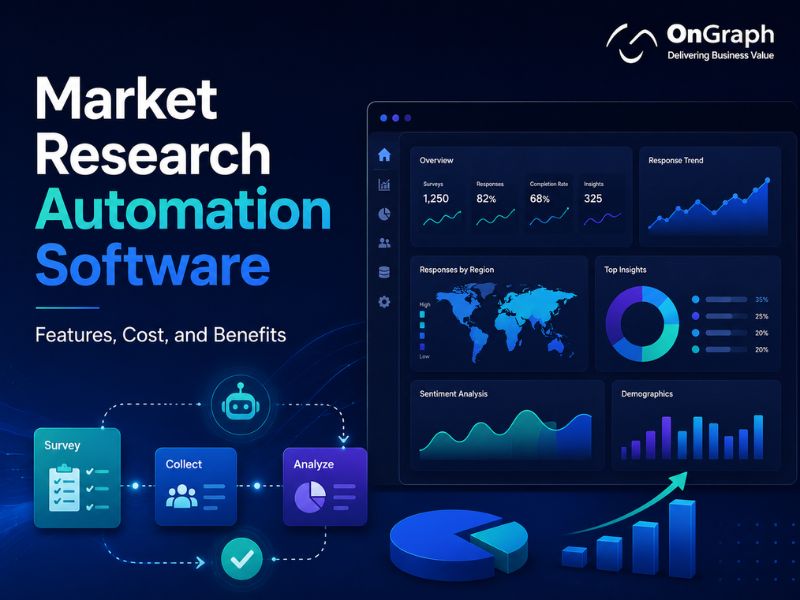
Market Research Automation Software helps teams automate surveys, panel workflows, data collection, reporting, and insights delivery.
- It reduces repetitive research work.
- Teams can launch studies faster.
- Agencies can manage panels and clients better.
- Enterprises can scale insights across teams.
- Custom software gives more control over workflows.
Why Market Research Automation Software Matters
Market Research Automation Software is becoming important because research teams need faster and cleaner insights.
Founders want quick product validation. Product managers need reliable customer feedback. Agencies must manage surveys, panels, quotas, and client reports.
Enterprises also need consistent insights across regions, products, and teams.
Research World, using ESOMAR data, reported that the global insights industry crossed US$150 billion in 2024. It also reported that the research software sector reached US$62 billion.
This shows a clear shift toward software-led research.
Manual research still has value. However, repeated tasks should not slow every project.
That is where automation helps. It makes research operations faster, more consistent, and easier to scale.
Build Market Research Software Around Your Workflow
What Is Market Research Automation Software?
Market Research Automation Software is a platform that automates key parts of the research process.
It helps teams create surveys, target respondents, manage panels, track quotas, collect responses, clean data, and generate reports.
A basic tool may only automate survey creation. A more advanced platform can manage the full research workflow.
Common modules include:
- Survey builder
- Audience targeting
- Panel management
- Sample feasibility
- Quota management
- Data quality checks
- Real-time dashboards
- Automated reporting
- Client portals
- Workflow approvals
- API integrations
The goal is not to replace researchers. A good platform helps them spend less time on repetitive work.
That gives teams more time for strategy, analysis, and client communication.
Why Research Teams Are Moving Toward Automation
Research teams are under pressure to deliver insights faster.
Traditional research can take weeks. Stakeholders often need answers in days.
Research software is growing faster than traditional market research. Research World reported 11.5% growth for the research software sector in 2024. The traditional market research sector grew 4.8% in the same period.
This does not mean human-led research is going away. It means teams are using software to remove operational delays.
Survey design is also changing. SurveyMonkey’s State of Surveys report says matrix question usage fell to 23% in 2024, down from 43% in 2015.
Modern surveys must be shorter and easier to complete. Automation can help teams build cleaner surveys and avoid unnecessary complexity.
Key Features of Market Research Automation Software
The right feature set depends on your workflow.
A startup may need fast product testing. An agency may need panels and client dashboards. An enterprise may need governance, permissions, and reporting across teams.
1. Survey Builder
A survey builder lets users create questionnaires without coding.
It should support question types, branching, skip logic, templates, and validation rules.
SurveyMonkey reports that almost 12% of surveys used skip logic in 2024, up from about 7% in 2019.
This matters because users expect more personalized survey flows.
2. Audience Targeting
Audience targeting helps teams reach the right respondents.
Useful filters include age, country, income, job role, industry, purchase behavior, and custom panel data.
SurveyMonkey says its platform provides access to 335M+ people across more than 130 countries.
Better targeting improves research quality. Poor sample quality can weaken the entire study.
3. Panel Management
Panel management helps agencies and enterprises build their own respondent database.
A good panel system should track profiles, survey history, reward status, eligibility, and quality scores.
Owned panels are useful for repeat studies. They also reduce long-term dependency on third-party sample providers.
4. Quota and Feasibility Management
Feasibility checks help teams know whether enough respondents are available.
Quota management balances completes across target groups.
This is useful for B2B research, healthcare studies, regional surveys, and niche audiences.
5. Data Quality Checks
Automation should help protect data quality.
Useful checks include duplicate detection, speeding, straight-lining, inconsistent answers, and suspicious device patterns.
Fast research is not useful if the data is weak.
6. Reporting Dashboards
Dashboards help teams view results in real time.
Useful dashboards show completes, quota status, trends, segments, and key insights.
Agencies can also use client-facing dashboards. This reduces manual reporting and improves transparency.
7. Workflow Automation
Market research workflow automation connects tasks across the research lifecycle.
For example, the platform can trigger survey approvals, send invites, close quotas, assign reports, and notify clients.
This reduces manual follow-up.
8. Integrations
Research platforms often need integrations with CRM tools, panel providers, BI tools, data warehouses, and client portals.
Custom APIs are important when companies use internal systems.
Turn Manual Research Tasks Into Smart Workflows
Market Research Automation Tools: Examples
Several market research automation tools already support different use cases.
| Tool | Best For | Useful Automation Angle |
| SurveyMonkey | Fast surveys | Survey creation and audience access |
| quantilope | Advanced automated research | Automated methods and tracking |
| Zappi | Product and ad testing | Repeatable concept testing |
| Kantar Marketplace | Enterprise agile research | Automated validated studies |
| QuestionPro | Survey research | Scheduling and survey analysis |
| Pollfish | DIY surveys | Audience access and survey automation |
| Voxco | Multi-mode research | Survey, panel, and reporting workflows |
| Suzy | Consumer insights | Always-on insights and decision support |
Quantilope says its platform includes 16 automated methods and access to more than 300 million consumers worldwide.
These tools are useful for many teams. Still, they may not fit every workflow.
A custom platform becomes useful when your process needs deeper control.
Automated Market Research Software vs Manual Research
Manual research offers flexibility. Automated market research software offers speed and repeatability.
The best option depends on the project.
| Factor | Manual Research | Automated Market Research Software |
| Speed | Slower | Higher |
| Repeatability | Lower | Higher |
| Custom judgment | Strong | Depends on setup |
| Cost control | Project-based | More predictable |
| Reporting | Manual | Dashboard-based |
| Best for | Complex custom studies | Repeatable workflows |
Manual research is still useful for complex studies.
Automation works better for repeatable tasks. Many teams get the best results with a hybrid model.
Researchers define the strategy. Software manages repetitive operations.
Consumer Insights Automation Platform: When Do You Need One?
A consumer insights automation platform helps teams collect and use customer data faster.
It is useful when research is continuous, not occasional.
You may need one if:
- Your team runs frequent surveys.
- Multiple departments need insights.
- Client reporting takes too much time.
- Panel management is becoming complex.
- Research data is scattered across tools.
- Product testing needs faster cycles.
- Manual dashboards delay decisions.
A Forrester Total Economic Impact study of Zappi reported measurable business value. The study found a 40% reduction in research campaign costs for the composite organization.
This shows why connected research workflows matter. Research becomes more useful when teams can test, learn, and improve faster.
Mini Case Study 1: Zappi Reduced Research Campaign Costs
Forrester’s Total Economic Impact study evaluated Zappi’s Consumer Insights Platform.
The study reported a 40% reduction in research campaign costs. It also reported 10–15% time savings for insights staff.
The study said teams saved time on programming surveys, managing vendors, and analyzing data.
This is a strong example of automation reducing operational load.
The lesson is simple. Automation creates value when it removes repeated manual work.
Mini Case Study 2: aytm Helped a Tech Company Run MaxDiff Research
aytm published a case study about a prominent technology company.
The company needed to identify the right name for a new feature. It used aytm’s platform and research services team.
According to aytm, the study fielded in three days over a weekend. The full report was delivered in about two and a half weeks.
This case shows how agile research supports product and marketing decisions.
Fast research is useful when teams must choose names, messages, concepts, or product ideas.
Survey Automation Software vs Full Research Automation
Survey automation software is only one part of research automation.
It helps create, distribute, and analyze surveys. Full Market Research Automation Software manages more of the research lifecycle.
| Capability | Survey Automation Software | Full Research Automation Platform |
| Survey builder | Yes | Yes |
| Skip logic | Yes | Yes |
| Audience targeting | Sometimes | Yes |
| Panel management | Limited | Strong |
| Feasibility checks | Limited | Strong |
| Client dashboards | Basic | Custom |
| Workflow approvals | Limited | Strong |
| Custom integrations | Limited | Strong |
A survey automation tool is enough for simple studies.
A full platform works better for agencies, enterprises, and productized research services.
Custom Market Research Solutions vs Off-the-Shelf Tools
This decision matters for long-term growth.
Off-the-shelf tools are faster to start. Custom market research solutions offer deeper control.
| Factor | Off-the-Shelf Tools | Custom Market Research Solutions |
| Launch speed | Faster | Slower |
| Customization | Limited | High |
| Panel ownership | Vendor-dependent | Full control |
| Client portals | Standard | Fully branded |
| Integrations | Predefined | Custom APIs |
| Cost model | Subscription-based | Build and maintain |
| Best for | Standard research | Unique workflows |
Choose off-the-shelf tools when your process is standard.
Build custom software when research is part of your business model.
Agencies often need custom solutions because clients need different dashboards, reports, and access levels.
How Much Does Market Research Automation Software Cost?
The cost of market research automation software depends on features, users, integrations, and ownership needs.
A simple survey automation tool costs less. A custom platform with panels, dashboards, APIs, and client portals costs more.
| Software Type | Best For | Cost Direction |
| Basic survey automation tool | Startups and small teams | Lower |
| Mid-level workflow platform | Agencies and product teams | Medium |
| Custom automation software | Agencies and enterprises | Higher |
| Enterprise insights platform | Large research teams | Highest |
Main cost drivers include:
- Number of user roles
- Survey builder complexity
- Panel management features
- Dashboard requirements
- Data quality checks
- API integrations
- Reporting automation
- Security requirements
- Admin workflows
- White-label branding
A basic MVP may include surveys, users, dashboards, and exports.
A mid-level platform may add panels, quotas, client portals, and integrations.
An advanced system may include supplier APIs, automated reporting, quality scoring, and multi-tenant access.
Automate Research Without Losing Control
Build software that automates surveys, quotas, reports, and insights while keeping your process flexible.
Data Privacy and Compliance Note
Market research platforms may collect personal and demographic data.
This can include email addresses, phone numbers, survey answers, reward details, and consent records.
Your platform should be built with privacy and data security in mind.
Depending on your region, you may need GDPR, CCPA, consent logs, access controls, secure storage, and opt-out options.
Compliance needs should be reviewed before development starts.
Step-by-Step Decision Framework
Step 1: Define Your Research Workflow
Start with your current process.
Map how surveys are created, approved, launched, monitored, and reported.
This shows where automation can help most.
Step 2: Identify Repetitive Tasks
Look for tasks your team repeats every week.
Common examples include survey setup, sample checks, quota tracking, report exports, and client updates.
These are strong automation candidates.
Step 3: Decide If You Need Panel Ownership
Panel ownership matters for agencies and repeat studies.
If respondent data is a long-term asset, custom software may be better.
Step 4: Review Reporting Needs
Basic charts may be enough for simple teams.
Agencies often need branded dashboards, PDF exports, and client-specific views.
Step 5: Compare Build vs Buy
Use ready-made tools when speed matters.
Choose custom development when workflow ownership matters more.
Step 6: Start With an MVP
Do not build every feature first.
Start with survey creation, audience setup, dashboards, and admin controls.
Later, add panels, APIs, fraud checks, and advanced reports.
How OnGraph Can Help
OnGraph provides Market Research Software Development Services for agencies, startups, and enterprises.
Our team can help build custom tools for survey workflows, panel management, client dashboards, reporting automation, and research operations.
OnGraph can help with:
- Market Research Automation Software
- DIY Market Research Tool development
- Survey automation software
- Panel management systems
- Client dashboard development
- Market research workflow automation
- API integrations
- Custom reporting modules
- Data quality workflows
- Admin and role-based access
Key Takeaways
Market Research Automation Software helps teams reduce manual work and deliver insights faster.
Automation is useful for surveys, panels, quotas, dashboards, reporting, and client workflows.
Off-the-shelf tools are good for standard research needs.
Custom platforms are better when your workflow is unique.
Agencies and enterprises benefit most when automation supports repeatable research delivery.
Final Thoughts
Market Research Automation Software is no longer only for large enterprises.
Startups, agencies, and product teams also need faster insights.
Survey tools can help with basic research. Full automation platforms help manage the entire workflow.
Custom software becomes valuable when research is part of your service, product, or internal decision process.
For agencies and enterprises, the best approach is practical.
Start with the workflows that waste the most time. Automate those first.
Then add panels, dashboards, quality checks, and integrations.
When done well, research automation becomes more than software. It becomes a scalable insights engine.
FAQs
Market Research Automation Software helps automate surveys, data collection, panel workflows, dashboards, and reports. It reduces manual work and helps teams deliver insights faster.
Founders, product managers, agencies, and enterprises need automation tools when research becomes frequent. These tools help with surveys, testing, panels, and reporting.
Automated market research software handles repeated research tasks. It can automate survey setup, respondent targeting, quota tracking, analysis, and reporting.
A research automation platform should include a survey builder, targeting, panel management, quotas, dashboards, data quality checks, exports, and integrations.
Cost depends on complexity. A simple tool costs less, while a custom platform with panels, dashboards, and integrations costs more.
Survey automation focuses on surveys. Research automation covers the full workflow, including panels, quotas, reporting, approvals, and dashboards.
Buy a ready-made tool for standard research. Build custom software if you need owned panels, branded dashboards, custom workflows, and integrations.
A DIY Market Research Tool allows users to create, launch, manage, and analyze research projects without heavy manual support.
Yes. OnGraph can build custom market research platforms with surveys, panels, dashboards, workflow automation, and integrations.
Market research workflow automation reduces manual tasks, improves speed, and helps teams manage research projects more consistently.
About the Author

Let’s Create Something Great Together!
Latest Blog

Let’s have a conversation today!


India
ONGRAPH TECHNOLOGIES PRIVATE LIMITED,
SDF L-1, NSEZ,
Sector 81, Block L, Phase-2,
Noida, Uttar Pradesh-201305

USA
OnGraph Technologies,
120 Bethpage Rd, Suite 304,
Hicksville, NY 11801, USA

Canada
7-1039 CEDARGLEN GATE,
Mississauga, Ontario,
Canada L5C 3A7

UK
89 Banstead Road South,
Sutton, Surrey, SM2 5LH
United Kingdom

Malaysia
G-3A, Amaya Maluri, Jalan
Jejaka 2, Taman Maluri,
KL–55100, Malaysia

Singapore
10 Anson Road,#26-04
International Plaza,
Singapore (079903)