


In this article
- Why Invoicing Creates Extra Work in Market Research
- Where Manual Invoicing Usually Adds Work
- Manual vs Automated Research Invoicing
- How Automated Invoicing Can Work in a Research Agency
- Supplier Reconciliation Is Just as Important
- Connect Invoicing With Project Profitability
- What Should Be Automated and What Still Needs Human Review?
- How Much Work Can Invoice Automation Reduce?
- When Does Invoice Automation Become More Valuable?
- What to Look for in Research Invoicing Software
- When Custom Invoice Automation Makes Sense
- Where OnGraph Fits
- The Bottom Line
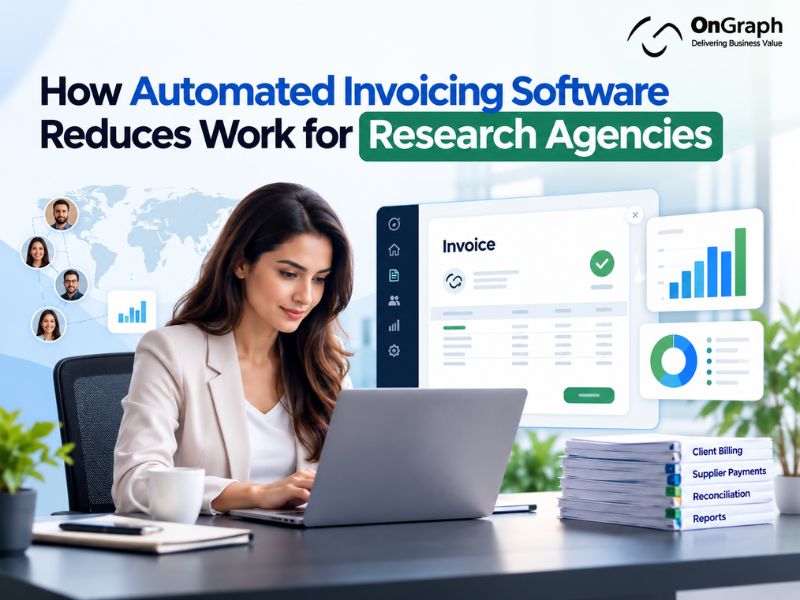
A research project does not end when the required number of survey completes is reached. The operations and finance teams still need to confirm final completes, check supplier costs, calculate client charges, create invoices, get approvals, and update financial records.
When this information is spread across spreadsheets, emails, supplier portals, and accounting software, invoicing becomes another manual process after fieldwork is complete. Automated invoicing software reduces this work by using project data that already exists, such as client rates, supplier costs, accepted completes, currencies, purchase orders, and payment terms.
For research agencies, the main benefit is simple: less manual work between project delivery and finance.
General finance benchmarks show how much invoice processing can improve with better automation. Data from the Institute of Finance & Management, published by SAP Concur, found an average processing cost of $6.30 per invoice for organizations with no automation and inconsistent processes, compared with $1.45 per invoice for organizations using end-to-end automation and consistent processes. These are general AP benchmarks rather than market-research-specific figures, but they show the operational cost associated with manual invoice handling.
Why Invoicing Creates Extra Work in Market Research
Research billing can be more complicated than sending an invoice for a fixed product or service. The amount billed at the end of a study may depend on what actually happened during fieldwork.
A single project may involve:
- Multiple sample suppliers
- Different CPIs by market or audience
- Accepted and rejected completes
- Over-quota respondents
- Incentive costs
- Survey programming fees
- Translation charges
- Project management fees
- Multiple currencies
- Different client and supplier payment terms
This means the original quote alone may not contain everything finance needs to create the final invoice.
Research invoicing works better when it is connected to project management, supplier management, and fieldwork data. A market research project management software workflow can keep project delivery and financial information connected instead of requiring teams to rebuild the numbers at the end of every study.
Still Managing Research Invoices Manually?
Where Manual Invoicing Usually Adds Work
A typical research project involves several teams before it reaches invoicing. The sales team agrees on pricing, the project manager sets up the study, and one or more sample suppliers are assigned to fieldwork.
During the project, each supplier may deliver a different number of completes. Some responses may be rejected during quality checks, while others may fall outside the final quota requirements.
Once fieldwork closes, finance needs two clear answers:
- How much should the client be invoiced?
- How much should each sample supplier be paid?
Getting these numbers is not always straightforward. Client pricing may be stored in the original quote, supplier rates in another system, final completes in the fieldwork dashboard, and additional costs in emails or project sheets.
When these systems are not connected, someone has to collect and verify everything manually before billing can begin.
Where the Manual Work Happens
Re-entering project details: Client names, project IDs, PO numbers, rates, currencies, and additional charges may need to be copied from project records into accounting or invoicing software.
Confirming billable completes: The original project target and final billable count may not be identical. Rejected, duplicate, fraudulent, or over-quota responses may need to be removed before billing.
Checking supplier invoices: The amount invoiced by a sample supplier needs to match the accepted delivery and the rate originally agreed for that project.
Following up on approvals: Project managers, account managers, and finance teams may all need to review an invoice. When approvals happen through email, it becomes harder to see what has been approved and what is still waiting.
This is where invoice automation becomes useful. Instead of reconstructing the financial side of a study after fieldwork, the invoice workflow can use information already stored against the project.
Manual vs Automated Research Invoicing
| Activity | Manual Process | Automated Process |
| Client details | Copied from project records | Pulled from client profile |
| Project/PO number | Entered manually | Added from project record |
| Final completes | Checked across reports | Pulled from approved fieldwork data |
| Client rate | Checked against quote | Pulled from approved pricing |
| Supplier costs | Reconciled manually | Matched against supplier delivery |
| Additional fees | Added manually | Stored against the project |
| Invoice creation | Prepared individually | Draft generated from project data |
| Approval | Managed through email | Routed through approval rules |
| Invoice status | Spreadsheet/email tracking | Central status dashboard |
| Margin review | Separate calculation | Revenue and cost viewed together |
The goal is not to remove finance from the process. It is to remove unnecessary preparation and data entry before finance reviews the invoice.
How Automated Invoicing Can Work in a Research Agency
A good invoicing workflow starts before fieldwork is complete. Financial information should move with the project from the approved quote through delivery and final billing.
1. Carry Approved Pricing Into the Project
Once the client accepts a proposal, important commercial information should become part of the project record.
This may include the client rate, estimated CPI, target completes, currency, additional services, PO number, and payment terms. Keeping this information with the project means finance does not have to retrieve it from an old proposal or email thread later.
This is also where market research workflow automation becomes useful. Information captured during bidding can continue through project setup, fieldwork, reporting, and invoicing rather than being entered repeatedly.
2. Record Supplier Costs During Fieldwork
Supplier costs should be recorded while the study is active rather than calculated from scratch after it closes.
For each supplier, the project can store:
- Agreed CPI
- Allocated quota
- Currency
- Delivered completes
- Accepted completes
- Rejected completes
- Additional supplier fees
This provides a clear record for later reconciliation.
Research agencies working with several sample providers can also connect this process with market research supplier management software so supplier pricing, allocations, fieldwork performance, and costs remain tied to the same project.
3. Confirm the Final Billable Numbers
Before an invoice is generated, the project manager should confirm what was actually delivered and what can be billed.
For example:
| Billing Item | Final Value |
| Project target | 1,000 completes |
| Total responses delivered | 1,050 |
| Rejected responses | 50 |
| Billable completes | 1,000 |
| Client CPI | $8 |
| Survey programming | $1,500 |
Once these values are approved, the invoice can use them directly.
This creates a clear financial record and reduces the risk of finance billing from outdated fieldwork numbers.
4. Generate the Draft Invoice
Using the example above:
1,000 billable completes × $8 CPI = $8,000
Add the survey programming fee of $1,500, and the draft client invoice becomes $9,500.
The system can prepare this calculation automatically while finance retains control over final review and approval.
5. Route the Invoice for Approval
Not every invoice needs the same approval process.
Approval rules can depend on invoice value, client, project owner, region, currency, discount level, or expected margin. A standard invoice might only require one approval, while an invoice with a pricing or margin exception may need additional review.
This is more practical than sending every invoice through the same email chain.
6. Send and Track the Invoice
After approval, the system can generate the final invoice, record it against the project, send it to the appropriate client contact, assign a due date, and update its status.
Project managers can then see whether an invoice is draft, awaiting approval, sent, overdue, or paid without asking finance for an update.
Build Invoicing Around Your Research Operations
Supplier Reconciliation Is Just as Important
Many generic articles about automated invoice processing focus on capturing invoice data and routing documents for approval. That is useful, but research agencies have another important question:
Does the supplier invoice match what was actually delivered and accepted?
Consider this example:
| Supplier | Invoiced Completes | Accepted Completes | CPI | CPI |
| Supplier A | 440 | 430 | $4.00 | 10 |
| Supplier B | 355 | 355 | $4.50 | 0 |
| Supplier C | 270 | 265 | $3.75 | 5 |
Supplier B matches the project record and may be ready for approval. Suppliers A and C need review.
Without connected data, someone has to compare these figures manually. With automated invoice reconciliation, the platform can identify the difference and send only the exceptions for review.
This does not mean the software decides who is right. It simply shows the operations or finance team where the numbers do not match.
Connect Invoicing With Project Profitability
Invoice automation becomes more useful when client revenue and supplier costs are connected to the same project.
Suppose a project generates $9,500 in client revenue and has the following direct costs:
| Cost | Amount |
| Supplier A | $1,720.00 |
| Supplier B | $1,597.50 |
| Supplier C | $993.75 |
| Survey programming | $600.00 |
| Total direct cost | $4,911.25 |
| Gross project contribution | $4,588.75 |
The operations team can compare this result with the margin expected when the project was originally quoted.
This is important because completing a study successfully does not automatically mean it performed well financially. Supplier changes, additional programming, lower incidence, or other unexpected costs can reduce the final margin.
OnGraph’s guide to market research project management software explains the wider operational model where bids, suppliers, fieldwork, project costs, and invoicing can be managed as connected parts of the same workflow.
What Should Be Automated and What Still Needs Human Review?
The purpose of automation is not to remove financial controls. Routine work can be handled by rules, while unusual situations remain with the people responsible for the project.
| Good Candidates for Automation | Keep Human Review |
| Pulling project information | Disputed completes |
| Applying approved rates | Pricing changes |
| Calculating invoice totals | Client-specific exceptions |
| Matching supplier counts | Large reconciliation differences |
| Generating invoice drafts | Credit notes and write-offs |
| Routing approvals | Margin exceptions |
| Sending payment reminders | Payment disputes |
| Updating invoice status | Contract interpretation |
This balance is important. IBM also notes that invoice automation still requires exception handling when information cannot be confidently processed or records do not match.
A useful system should therefore make exceptions easier to identify rather than trying to automate every financial decision.
How Much Work Can Invoice Automation Reduce?
There is no reliable public benchmark showing exactly how many hours market research agencies save through invoicing automation. Applying general accounts-payable figures directly to research operations would be misleading.
Broader finance benchmarks can still provide useful context. IBM cites research showing that organizations with mature AP automation can process invoices considerably faster and at lower cost than organizations relying on manual workflows.
IOFM data published by SAP Concur provides a more specific comparison:
| Metric | No Automation / Inconsistent Process | End-to-End Automation |
| Cost per invoice | $6.30 | $1.45 |
| Invoices processed per FTE | 8,689 | 18,649 |
These figures are general finance benchmarks, not research-industry benchmarks.
For a research agency, the actual benefit will depend on the number of projects handled, number of sample suppliers involved, billing rules, currencies, client requirements, and how much reconciliation currently happens manually.
When Does Invoice Automation Become More Valuable?
A small agency running a limited number of straightforward projects may be able to manage invoicing through its existing accounting software.
The need becomes stronger when operations involve:
- Many concurrent projects
- Multiple sample suppliers per project
- Different CPIs and currencies
- Frequent reconciliation
- Client-specific billing rules
- Separate project and finance systems
- High invoice volume
- Regular pricing exceptions
- Limited visibility into project margins
At that point, the problem is no longer simply invoice creation. It becomes a research operations management problem.
What to Look for in Research Invoicing Software
Generic invoice management software may be sufficient if the requirement is simply to create invoices and collect payments.
Research agencies often need additional connections between finance and project delivery.
A suitable system should be able to support client and supplier invoices, project-based billing, CPI calculations, accepted-complete reconciliation, multiple currencies, PO numbers, additional service fees, configurable approvals, credit notes, payment status, accounting integrations, and audit history.
More importantly, these records should remain connected to the research project.
Otherwise, finance still has to bridge the gap between operations and invoicing manually.
When Custom Invoice Automation Makes Sense
Off-the-shelf invoicing software works well when billing rules are relatively standard. Custom development becomes more relevant when billing depends heavily on research-specific project data.
For example, an agency may need invoices calculated using final accepted completes, several sample suppliers, different CPIs, client-specific rules, additional project services, supplier reconciliation, or project-level margin calculations.
In these cases, invoicing is not really a standalone finance feature. It is part of the research delivery workflow.
OnGraph’s market research software development services can connect invoicing with project management, fieldwork, supplier management, reporting, and other operational systems.
Agencies that want these workflows under their own branding can also consider a white label market research platform instead of maintaining separate client-facing and internal systems.
Need Better Visibility Into Project Costs and Margins?
Where OnGraph Fits
OnGraph builds research software around the wider project lifecycle rather than treating invoicing as an isolated finance feature.
A research operations platform can connect bidding, project setup, suppliers, fieldwork, final completes, client invoicing, supplier invoicing, and reporting. This gives operations and finance teams access to the same underlying project information.
For agencies with existing finance or accounting systems, the goal does not have to be replacing those systems. A better approach may be to connect the research platform to them so that approved project and invoice data can move between systems without repeated manual entry.
This keeps the accounting system responsible for accounting while the research platform remains responsible for research operations.
The Bottom Line
The biggest invoicing problem in research operations is often not creating the invoice itself. It is collecting and checking all the information needed to create the invoice correctly.
Final completes need to match fieldwork. Supplier invoices need to match accepted delivery. Client rates need to match the approved quote. Additional project costs need to be recorded, and approvals need to be visible.
When those records sit in separate systems, invoicing becomes another manual project after the research project has already finished.
Automated invoicing software reduces that work by connecting financial processes with project data. The aim is straightforward: enter information once, keep it updated as the study progresses, and use the same approved data when it is time to bill the client or pay a supplier.
FAQs
Automated invoicing software uses existing business data and predefined rules to prepare and manage invoices. It can calculate charges, create draft invoices, route approvals, send invoices, and track payment status.
It reduces repeated data entry between project management, fieldwork, supplier records, and finance. Client rates, supplier costs, accepted completes, project IDs, and other billing information can remain connected throughout the project.
Yes, when supplier delivery information is connected to the invoicing workflow. The system can compare invoiced completes with accepted completes and flag differences for review.
No. Routine calculations, data transfer, invoice preparation, and routing can be automated. Finance teams should continue to review exceptions, disputed amounts, unusual pricing, adjustments, and final approvals.
For research agencies, this can remove a significant amount of manual work because project management already contains much of the information required for billing, including rates, supplier costs, project IDs, fieldwork results, and final completes.
Yes. When client revenue and supplier costs are stored against the same project, the agency can compare expected and actual financial performance and identify projects where costs are reducing margin.
Invoice automation covers the wider process of preparing, approving, sending, receiving, and tracking invoices. Automated invoice processing usually refers more specifically to capturing, validating, matching, and approving incoming invoices.
Custom workflows become useful when generic invoicing software cannot easily handle research-specific requirements such as CPI calculations, accepted completes, multiple sample suppliers, reconciliation, project-specific pricing, or margin tracking.
About the Author

Let’s Create Something Great Together!
Latest Blog

Let’s have a conversation today!


India
ONGRAPH TECHNOLOGIES PRIVATE LIMITED,
SDF L-1, NSEZ,
Sector 81, Block L, Phase-2,
Noida, Uttar Pradesh-201305

USA
OnGraph Technologies,
120 Bethpage Rd, Suite 304,
Hicksville, NY 11801, USA

Canada
7-1039 CEDARGLEN GATE,
Mississauga, Ontario,
Canada L5C 3A7

UK
89 Banstead Road South,
Sutton, Surrey, SM2 5LH
United Kingdom

Malaysia
G-3A, Amaya Maluri, Jalan
Jejaka 2, Taman Maluri,
KL–55100, Malaysia

Singapore
10 Anson Road,#26-04
International Plaza,
Singapore (079903)