


In this article
- What Is JAXB and Why Is It Important in Java?
- Marshalling in Java: Converting Java Objects to XML
- Unmarshalling in Java: Converting XML Back to Java Objects
- Essential JAXB Annotations for XML Binding in Java
- How to Wrap Multiple XML Elements Within a Parent Tag Using JAXB
- Key Takeaways on Marshalling and Unmarshalling in Java
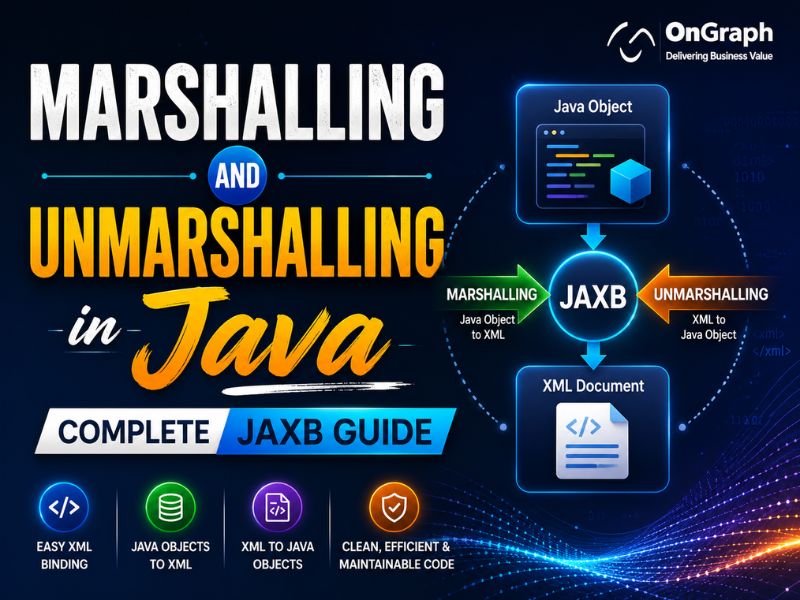
Marshalling and Unmarshalling in Java are important JAXB processes used to convert Java objects into XML and XML data back into Java objects. These techniques simplify data exchange between applications, improve interoperability, and reduce the complexity of handling XML data in Java projects.
JAXB (Java Architecture for XML Binding) provides an efficient way to map XML data to Java objects and vice versa. It is widely used in enterprise applications, web services, and system integrations where XML remains a common data format.
With JAXB, developers can easily marshal Java objects into XML documents and unmarshal XML documents back into Java objects without writing complex parsing code. JAXB also supports XML schema binding, making it easier to validate and manage structured data.
By simplifying XML processing, JAXB helps developers build cleaner, more maintainable, and scalable Java applications. In this guide, you will learn how Marshalling and Unmarshalling in Java work, the role of JAXB annotations, and practical examples for converting Java objects and XML data efficiently.
JAXB = Marshalling (Java Object → XML) + Unmarshalling (XML → Java Object).
Need Expert Java Development Services?
What Is JAXB and Why Is It Important in Java?
Java for XML Binding, Use annotation pattern to convert java objects to or from XML. Here the two terms mostly used are Marshaling and Unmarshaling.
Marshalling in Java: Converting Java Objects to XML
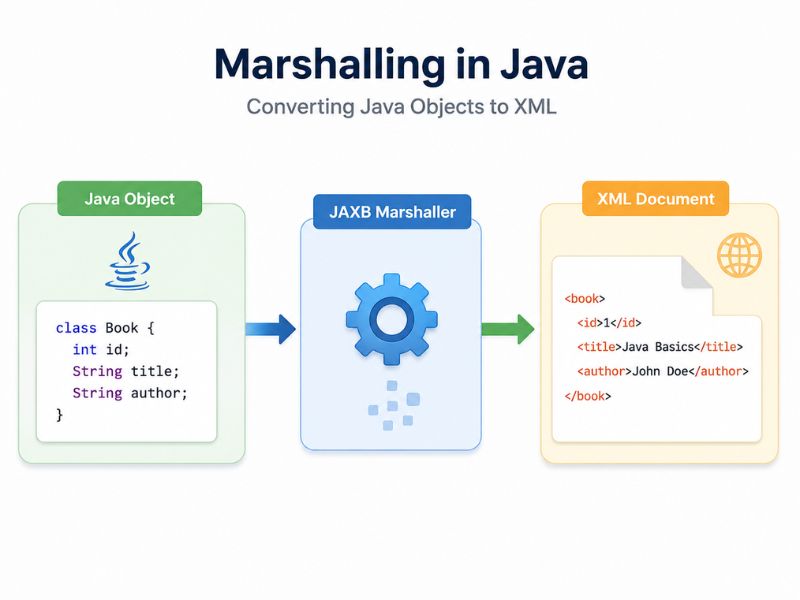 By using a java object, create an xml file or convert a java object to xml.
Unmarshalling in Java: Converting XML Back to Java Objects

Create a java object again using an xml file.
Prerequisites:
- JDK 1.6
- JAXB 2
Note: If using jdk version less than 1.6, download JAXB from http://jaxb.java.net/, and copy “jaxb-api.jar” and “jaxb-impl.jar” and paste to your classpath.
No extra jaxb libraries are required if you are using JDK1.6 or above because it is bundled with jdk
Essential JAXB Annotations for XML Binding in Java

To convert things to/from XML using JAXB, use the Annotation pattern. We can apply a number of predefined annotation styles to our Java objects.
This annotation does not participate directly in the xml creation; rather, it supplies information about xml schema.
It has various properties like factoryClass, method, name, namespace, propOrder, and so on.
Below are some commonly used attributes –
name – Provides name to XML schema if you don’t want to use the class name
namespace – Provides the name of the target namespace (if you are using a reference object of some other class)
propOrder – Used to establish an ordering of the sub-elements
@XmlRootElement(name="TestDoc" )
@XmlType(propOrder = { "name", "stream", "class"})
public class TestingDocument
{
	String name;
	int class;
	String stream;

	public String getName() {
		return name;
	}

	@XmlElement
	public void setName(String name) {
		this.name = name;
	}

	public int getAge() {
		return age;
	}

	@XmlElement
	public void setAge(int age) {
		this.age = age;
	}

	public String getStream() {
		return stream;
	}

	@XmlElement(name = "subject")
	public void setStream(String stream) {
		this.stream = stream;
	}
}
According to TestingDocument class order of properties is name > class > stream but as we have defined new ordering in @XmlType annotation so it will produce output xml like –
<?xml version="1.0" encoding="UTF-8" standalone="yes"?>
<TestDoc>
    <age></age>
    <subject></subject>
    <name></name>
</TestDoc>
The basic annotation for a field that’s intended to be an element is XmlElement. It permits you to define the XML element name and namespace.
In the above example, the property stream is renamed by subject using the name property of the XMLElement annotation.
- @XmlRootElement (name = “root”) :
Top-level element class, Define root element of XML document. Its optional elements are name and namespace. By default, we used the class name as the name.
@XmlRootElement(name="TestDoc" )
public class TestingDocument
{
}
After Marshaling of this java class, It will produced out put xml like –<?xml version="1.0" encoding="UTF-8"?><TestDoc> </TestDoc> - @XmlType(propOrder = { “field2”, “field1”,”field3″….}) :
- @XmlElement(name = “test”)
Here is one more condition that I would like to explain here. Sometimes you need to define property with xml tab like in below xml property subjectType in subject tag-
<?xml version="1.0" encoding="UTF-8" standalone="yes"?>
<TestDoc>
    <age>25</age>
    <subject subjectType="Math" >Science</subject>
    <name>testinguser</name>
</TestDoc>
To handle this type of condition, we need to create one more java class that will be used to set have property subjectType and its value, In our example we create a subject class like –
public class Subject {
	@XmlValue
	private String Subject;
	@XmlAttribute(name = "subjectType", required = true)
	private String subjectType;

	public String getSubject() {
		return StandardPrice;
	}

	public void setSubject(String value) {
		StandardPrice = value;
	}

	public void setSubjectType(String currency) {
		this.currency = currency;
	}

	public String getSubjectType() {
		return currency;
	}
}
And Testing Documents set stream() method now set the object reference of subject class
@XmlRootElement(name="TestDoc" )
@XmlType(propOrder = { "name", "stream", "class"})
public class TestingDocument
{
	String name;
	int class;
	Subject stream;

	public String getName() {
		return name;
	}

	@XmlElement
	public void setName(String name) {
		this.name = name;
	}

	public int getAge() {
		return age;
	}

	@XmlElement
	public void setAge(int age) {
		this.age = age;
	}

	public Subject getStream() {
		return stream;
	}

	@XmlElement(name = "subject")
	public void setStream(Subject stream) {
		this.stream = stream;
	}
}
In the above code we used @XmlValue to denote that this is used to add a property value, not a new xml tag.
If we do not define this, then it will produce one extra <subject> tag within a main <subject> tag. @XmlAttribute(name = “subjectType”, required = true) here we are defining that property name as subjectType and it is a required field.
Method getSubjectType() will return the value of subjectType property and getSubject() method will return the value of the subject tag in XML.
Looking for a Trusted Java Development Partner?
How to Wrap Multiple XML Elements Within a Parent Tag Using JAXB
<?xml version="1.0" encoding="UTF-8" standalone="yes"?>
<students>
    <student></student>
	<student></student>
	<student></student>
</students>
To implement this type of condition, create class student and students and in students class, create a property having ArrayList of type student class.
JAXB marshalling example:
package com.tst.javaxb;

import java.io.File;
import javax.xml.bind.JAXBContext;
import javax.xml.bind.JAXBException;
import javax.xml.bind.Marshaller;

public class TestingDocumentExample {
	public static void main(String[] args) {

	  TestingDocument testDoc = new TestingDocument();
	  testDoc.setName("testuser");
	  testDoc.setAge(25);
	  Subject sub = new Subject();
	  sub.setSubject("Science");
	  sub.setSubjectType("Meth");
	  testDoc.setStream(sub);

	  try {
		File file = new File("C:\\file.xml");
		JAXBContext jaxbContext = JAXBContext.newInstance(TestingDocument.class);
		Marshaller jaxbMarshaller = jaxbContext.createMarshaller();

		// output pretty printed
		jaxbMarshaller.setProperty(Marshaller.JAXB_FORMATTED_OUTPUT, true);

		jaxbMarshaller.marshal(testDoc, file);
		//to show out put in console
		jaxbMarshaller.marshal(testDoc, System.out);

	      } catch (JAXBException e) {
		e.printStackTrace();
	      }
	}
}
JAXB unmarshalling example:
package com.tst.javaxb;

import java.io.File;
import javax.xml.bind.JAXBContext;
import javax.xml.bind.JAXBException;
import javax.xml.bind.Marshaller;

public class TestingDocumentExampleUnMarshal {
	public static void main(String[] args) {
	 try {
		File file = new File("C:\\file.xml");
		JAXBContext jaxbContext = JAXBContext.newInstance(TestingDocument.class);

		Unmarshaller jaxbUnmarshaller = jaxbContext.createUnmarshaller();
		TestingDocument tstDoc = (TestingDocument) jaxbUnmarshaller.unmarshal(file);
		System.out.println(tstDoc);
	  } catch (JAXBException e) {
		e.printStackTrace();
	  }
     }
}
Key Takeaways on Marshalling and Unmarshalling in Java
Marshalling and Unmarshalling in Java help convert Java objects to XML and XML back to Java objects using JAXB. This simplifies data exchange between applications and reduces manual XML processing.
By using JAXB annotations and following best practices, developers can create cleaner, more maintainable, and more efficient Java applications that work seamlessly with XML data.
Build High-Performance Java Applications Faster
Transform your ideas into secure, scalable Java solutions designed for growth, efficiency, and long-term success.
FAQs
Marshaling and unmarshaling are necessary for:
- Data Exchange
- Integration
- Persistence
- Interoperability
- Configuration
Marshaling can impact Java project performance in several ways:
- It adds processing time for converting Java objects to a serialized format.
- It involves slower disk or network operations for reading and writing serialized data.
- Serialized formats can lead to larger data sizes, affecting memory and network usage.
- It can impact application responsiveness and throughput.
- Efficient serialization techniques are needed to optimize performance in Java projects.
Unmarshaling can impact Java project performance in several ways:
- Unmarshaling involves processing time to convert serialized data (like XML or JSON) back into Java objects.
- It requires reading and parsing serialized data, which can be slower compared to in-memory operations.
- Unmarshaling large or complex data structures can lead to increased memory usage and processing overhead.
- Efficiency in parsing and deserialization techniques is crucial to optimize performance in Java applications.
- Heavy reliance on unmarshaling can affect overall application responsiveness and throughput.
About the Author

Let’s Create Something Great Together!
Latest Blog



Let’s have a conversation today!


India
ONGRAPH TECHNOLOGIES PRIVATE LIMITED,
SDF L-1, NSEZ,
Sector 81, Block L, Phase-2,
Noida, Uttar Pradesh-201305

USA
OnGraph Technologies,
120 Bethpage Rd, Suite 304,
Hicksville, NY 11801, USA

Canada
7-1039 CEDARGLEN GATE,
Mississauga, Ontario,
Canada L5C 3A7

UK
89 Banstead Road South,
Sutton, Surrey, SM2 5LH
United Kingdom

Malaysia
G-3A, Amaya Maluri, Jalan
Jejaka 2, Taman Maluri,
KL–55100, Malaysia

Singapore
10 Anson Road,#26-04
International Plaza,
Singapore (079903)