


In this article
- What is an agentic AI CRM, in plain terms?
- The risk list we started from
- The methodology: five decisions that make AI safe to switch on
- Where the AI lives: one door, not fifty
- Scaling the work, not the risk: group runs
- Keep what already works
- Things that went wrong (and what they taught us)
- Why this structure scales
- Key takeaways
The first meeting didn’t start with “what can AI do for us?” It started with a list of fears.
The client was a B2B services company: a few thousand leads a year, a sales team of around twenty, and deals big enough that a single bad email could cost a relationship. They had watched competitors bolt chatbots onto their CRMs. They had read the stories about AI inventing facts, emailing the wrong people and burning through budgets overnight.
Their head of sales put it bluntly: “I don’t want AI in my CRM. I want the work done. Those aren’t the same thing.”
That sentence became our brief. What follows is how we designed an agentic CRM around risk rather than capability, what went wrong while we built it (plenty), and why the structure we ended up with scales without getting scarier as it grows.
What is an agentic AI CRM, in plain terms?
A traditional CRM stores what happened. An AI-assisted CRM adds a chatbot you can ask questions. An agentic CRM goes further: AI agents do actual work inside the system. They draft follow-up emails, qualify leads, brief a rep before a call, or tell you where your ad budget should move.
The word “agentic” scares people because it suggests autonomy. In practice the useful question isn’t whether the AI can act. It’s how far it may act, on what, and who checks it. Everything in this post is an answer to that question.
Turn Your CRM Into an Agentic Sales System
The risk list we started from
We asked the client to write down every way AI in their CRM could hurt them. Their list, lightly edited:
1. It emails a prospect something untrue.
2. It emails the wrong person, or the same person twice.
3. It runs up a bill nobody approved.
4. Nobody can explain why it did what it did.
5. The team stops trusting the CRM itself.
6. It gets switched on everywhere before anyone knows whether it works.
Notice what’s missing: “the AI isn’t smart enough.” Nobody worried about capability. Every fear was about control, visibility and trust. That told us the product to build wasn’t a clever model. It was a harness around one.
The methodology: five decisions that make AI safe to switch on
We didn’t write a framework first and apply it. We made decisions one at a time as problems appeared, and the pattern became visible afterwards. Here it is, cleaned up.
1. One agent, one job, one name
Our first prototype had “AI buttons” scattered across the CRM. There was a “Draft” button here, an “Analyse” button there, and a magic-wand icon on the lead page. Nobody knew which one did what, so nobody used any of them.
We replaced them with named agents, each with exactly one job. Felix drafts follow-ups. Wren writes first-touch emails. Maya briefs you before a call. Bruno tells you where ad budget should move. Twenty-one agents in all, each named for its job where possible (Quinn writes quotes, Piper chases proposals).
It sounds like a gimmick. It isn’t. A name makes an agent accountable in conversation. “Felix’s draft was too pushy” is a sentence a sales manager can say in a stand-up. “The AI output was suboptimal” is not. Names turned the agents from features into colleagues, with jobs, and colleagues can be reviewed.
2. Every agent declares how far it may act
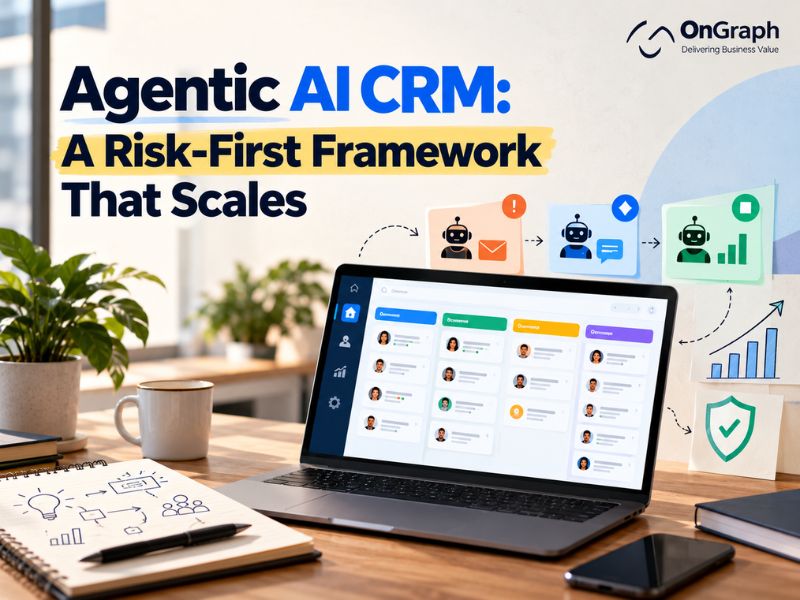
This was the single most important design choice. Every agent sits at one of three levels, shown by a shape and colour on every screen:
| Marker | Level | What it means |
| 🟠 Orange circle | Needs your approval | Prepares work, then waits. Nothing is sent or saved until a person approves it. |
| 🔷 Blue diamond | Advice only | Works something out and shows you. Changes nothing, sends nothing. |
| 🟩 Green square | Acts automatically | Does the job on its own, visibly and reversibly. |
Almost everything starts orange. Only one agent in the first release is green, and all it does is set an internal lead rating that no customer ever sees.
We used shapes as well as colours for a practical reason. The client’s first comment on the early version was that two of the colours looked the same. Shape makes the difference impossible to miss, including for colour-blind users. Small detail, but trust is built from small details.
3. Launch states, enforced by the server
Here’s the risk most AI rollouts ignore: switching everything on at once. Twenty agents going live on day one means twenty things to debug and no way to tell which one caused a problem.
So every agent has a launch state: Coming soon, Testing or Live. In the first release, exactly two agents were in Testing: follow-up email and cold email. Everything else was visibly stamped Coming soon and could not be opened.
The key decision was enforcing this on the server, not just in the interface. Hiding a button is cosmetic. When we moved the other agents to Coming soon, their scheduled background jobs stopped too, including a nightly coaching job that had been quietly spending money. One rule, applied in one place, covering both people and automation.
This is also what makes the structure scale. Adding agent number twenty-two doesn’t raise the risk of the whole system, because it arrives as Coming soon, graduates to Testing when someone decides to test it, and goes Live only when its numbers justify it.
4. Every agent explains itself in plain English
Their fourth fear, “nobody can explain why it did what it did”, is the one most AI products fail on. The honest answer is usually a 2,000-word system prompt that no salesperson will ever read.
We added a “How it works” page to every agent, opening with a four-line summary:
- Does: one sentence.
- Needs: one lead, a filtered group of leads, a project, or nothing.
- Gives you: the parts of its answer.
- Then: what happens to the result.
Below that come the agent’s rules, its limits, the steps it follows, and at the bottom, the actual full prompt it runs with, plus its version number.
The part we’re proudest of is how those explanations are written. They’re generated from the agent’s real instructions and from the code that gathers its data, so “what it reads” is what it actually reads, not what someone remembered it reading. When the instructions change, the explanation is rewritten automatically. Documentation that can’t drift out of date is rare. Here it came almost for free.
5. Blank beats wrong
This rule came from two bugs, and they’re worth telling because they’re the kind every AI CRM will hit.
Bug one. We ran the follow-up agent on a small real group of leads during testing. Both drafts came back with subject lines addressing the prospect by our client’s own company name. The cause was mundane. The CRM’s “company” field, on most records, held the client’s billing entity rather than the prospect’s. The data looked fine at a glance, and the AI did exactly what it was told with bad input.
Bug two. The cold-email agent learned its style from the client’s past campaigns, as intended. One of those campaigns claimed a team size that was no longer true. The agent copied the number faithfully, because copying the style was its job.
Neither was an AI failure. Both were data failures that AI made visible at scale. The fix became a principle: when the system isn’t sure a fact is true, it says nothing. The agent now uses the prospect’s real company, or their email domain, or leaves the company out entirely. Proof points are limited to a fixed, approved list. A slightly plainer email beats a confident wrong one every time.
If you take one thing from this post, take that. Your AI is only as honest as your CRM’s worst field.
Build an Agentic CRM You Can Control
Where the AI lives: one door, not fifty
Early on, agent buttons were spread across page headers, table rows and side panels. The client’s reaction was immediate: “Why are there AI tags everywhere?”
We moved everything behind a single floating AI icon in the corner of every screen. It shows only the two to four agents that make sense on the current page, already pointed at what’s in front of you. On a lead’s page it offers to draft a follow-up for this lead. On the pipeline board it offers to revive the deals that have sat still too long.
Which agents appear on which screen is a setting, not code. An admin can move an agent to a different screen without a developer. And everything the icon doesn’t show is one click away on a single agents page, grouped by business stage: Find leads, Win deals, Deliver, Measure.
Scaling the work, not the risk: group runs
Here is where agentic AI actually earns its keep. Drafting one follow-up saves a rep five minutes. Drafting follow-ups for every UK lead from Google Ads, rated three stars or more, that went quiet over a week ago, assigned to me, saves an afternoon.
So every drafting agent can run on a filtered group, but with the safety built into the query rather than the screen:
- Before anything runs you see how many leads match, how many will actually be drafted, roughly what it will cost, and who is left out and why (“10 have no email · 2 were already drafted this week”).
- Unsubscribed, do-not-contact and closed leads never enter a group.
- A lead the same agent drafted for in the last seven days is skipped automatically, so no double follow-ups.
- Each run is capped at 25, because every draft is something a person must read.
- By default a rep sees only their own leads. Choosing “All reps” is a deliberate click.
- Every draft records which mailbox it will go from and who is copied, and follow-ups go from the rep’s own inbox, in the same thread.
The screen tells you exactly what will happen. The server makes sure nothing else can.
Keep what already works
The client already ran cold email through a dedicated outbound platform, and it worked well enough. The tempting move, since we had just built an agent that writes cold emails, was to replace it.
We didn’t. Cold email stayed where it was. We built the bridge instead: every person that platform emails is mirrored into the CRM, every reply shows up there, and any of those people can be turned into a pipeline lead with one click. The CRM’s own agents focus on the conversations that follow.
An agentic CRM doesn’t have to own every step. It has to know about every step. Replacing a working tool adds risk. Connecting to it removes some.
Things that went wrong (and what they taught us)
This project wasn’t smooth, and pretending otherwise would make this post less useful.
- The agent that “failed” but still charged. One advisory agent took about 38 seconds to write its answer, and the browser gave up after 30. The user saw “the agent could not run”, while the server finished the job and paid for it anyway. Lesson: every AI action needs a timeout that matches how long AI actually takes.
- The wall of text. The first version of agent answers dumped everything in one block. Readable to us, unreadable to a sales manager. Now every answer opens with a headline and a verdict, then numbered sections. Presentation is part of trust.
- Two WhatsApp bots. We found two overlapping auto-reply systems in the codebase, a legacy one and a newer one. Worse, a small bug meant an inbound message would have reached no one: not the bot, not the rep. We merged them into one and made sure a human always gets the message.
- Test runs billed the live account. Our staging environment shared the production AI key, so every test was paid for by the production account. It was small money, but it’s a governance gap worth closing on day one.
Every one of these is ordinary. That’s the point. Most of the risk in an AI CRM isn’t in the AI. It’s in the plumbing around it.
Why this structure scales
The design scales because each new agent adds work to the system without adding new risk:
- A new agent arrives as Coming soon, inherits the same approval levels, the same explanation page and the same server-side gate. No new safety code.
- A new screen just gets a row in the placement setting.
- A new team member sees only their own leads by default and can’t switch anything on.
- A new client (the same structure is multi-tenant) starts with the same two agents in Testing and everything else dormant.
Compare that with the “AI button everywhere” approach, where every new feature is a new, unaudited path to a customer’s inbox. One design gets riskier as it grows; ours doesn’t.
Key takeaways
- Design around fears, not features. Your stakeholders’ risk list is the real specification.
- Name your agents and give each one job. It makes AI reviewable in normal conversation.
- Make “how far may it act” visible everywhere, and let almost everything start at needs approval.
- Launch two agents, not twenty. Enforce launch states on the server, including for scheduled jobs.
- Explain every agent from its real prompt, automatically.
- Blank beats wrong. Audit the CRM fields your AI reads before you trust what it writes.
- Connect to the tools that already work instead of replacing them.
We design and build agentic CRMs and AI products for businesses that want AI doing real work without betting the relationship on it. If you’re weighing where AI fits in your sales process, talk to us.
Ready to Put AI to Work in Your CRM?
FAQs
An AI CRM usually adds analysis or a chat assistant. An agentic CRM has AI agents that perform tasks such as drafting emails, qualifying leads or briefing reps, within limits set by the business.
It can be, if sending is gated by human approval, runs through the rep’s own mailbox, skips unsubscribed and recently contacted people, and is capped per run. In our build, nothing reaches a customer without a person approving it.
Fewer than you think. We launched with two in testing: follow-up email and cold email. The rest wait until the first two prove themselves on approval rate and reply rate.
Restrict it to verified facts and an approved list of claims, and teach it to leave something out when unsure. Most “hallucinations” we saw were really bad CRM data being repeated faithfully.
Yes, and it usually should. We kept the client’s cold-email platform and mirrored its activity into the CRM rather than replacing it.
About the Author

Let’s Create Something Great Together!
Latest Blog
Let’s have a conversation today!


India
ONGRAPH TECHNOLOGIES PRIVATE LIMITED,
SDF L-1, NSEZ,
Sector 81, Block L, Phase-2,
Noida, Uttar Pradesh-201305

USA
OnGraph Technologies,
120 Bethpage Rd, Suite 304,
Hicksville, NY 11801, USA

Canada
7-1039 CEDARGLEN GATE,
Mississauga, Ontario,
Canada L5C 3A7

UK
89 Banstead Road South,
Sutton, Surrey, SM2 5LH
United Kingdom

Malaysia
G-3A, Amaya Maluri, Jalan
Jejaka 2, Taman Maluri,
KL–55100, Malaysia

Singapore
10 Anson Road,#26-04
International Plaza,
Singapore (079903)