


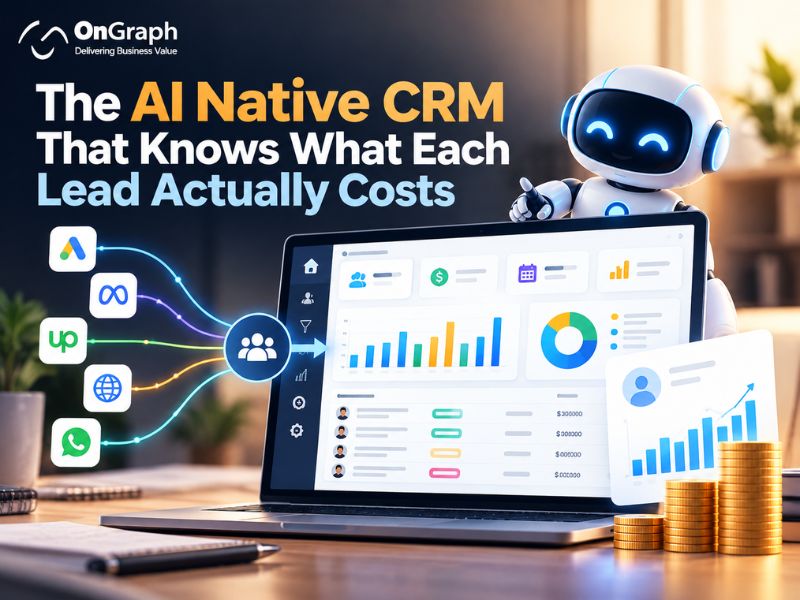
A client came to us with a problem they’d already tried to solve twice.
A growing services business. A few hundred leads a month arriving from Google Ads, Meta, Upwork and their own website. Deals worth thousands of dollars each. A sales team spread across cities. An ERP holding the financial side. And a CRM that everybody quietly worked around.
They described the symptom simply: “We don’t know what’s going on.” Digging in, it was more specific.
What was actually broken
Nobody could say which channel was working. Ad spend sat in Google’s and Meta’s dashboards. Leads sat in the CRM. Upwork connects were paid on a company card. Scraping tools and AI usage were invoiced separately. The monthly review was assembled by hand in a spreadsheet, and the answer to “what does a Meta lead actually cost us?” was an educated guess. Nobody could put cost and outcome on the same line.
The record of what was said was scattered. Some conversations happened by email, some over WhatsApp, some on calls. Notes went into the ERP, or a notebook, or nowhere. When a rep went on leave, the next person picked up a lead and couldn’t tell what had been agreed.
Deals disappeared quietly. Not lost — forgotten. A proposal sent, a good call, then nothing. The CRM only showed where a deal is, so a stalled deal stopped appearing anywhere anyone looked.
Won didn’t mean paid. Deals were celebrated at closing; whether the second instalment ever arrived was a separate and usually late conversation with finance.
They had tried two off-the-shelf CRMs. Both are good products. Neither fits a business that buys leads from four different places, runs its accounts in an ERP, and gets paid in instalments.
Build an AI CRM Around Your Sales Process
Every channel, connected at the source
The first decision was that nothing should be typed in twice, and every lead should arrive already knowing where it came from and what it cost.

Google Ads and Meta Ads connect for both halves of the story: lead ads flow in as leads, and spend, impressions and clicks flow in as cost — per campaign, so Search and Performance Max are judged separately rather than lumped together as “Google”.
Lead Marketplace (Upwork) is treated as a proper channel, with connect spend counted, because a freelance platform is paid acquisition with a real price.
Website and landing page forms post in through per-page intake sources, so “which page produced this?” is answered without UTM archaeology.
Organic search connects to Search Console, so rankings, impressions and clicks sit beside the paid channels instead of in a separate SEO report.
Email runs on the company’s own domains with warm-up to protect deliverability, plus a cold-outreach agent whose interested replies flow straight in as new contacts.
WhatsApp, through the Business API, carries the day-to-day conversation with leads who prefer chat — with automated replies, consent handling and a cross-channel limit so nobody gets messaged from three directions in one week.
Calendar and meeting recordings attach scheduled meetings, transcripts and summaries to the right lead automatically.
Odoo syncs both ways, so sales and finance stop keeping separate versions of the truth.
Prospecting data sources — business listings, job postings, company enrichment — feed raw prospects in, kept deliberately separate from real leads so they never inflate the pipeline.
Built AI-first, not AI-sprinkled
Most CRMs added AI as a button: summarise this, draft that. We built this one the other way round — AI does the work that used to be skipped because there was never time for it.
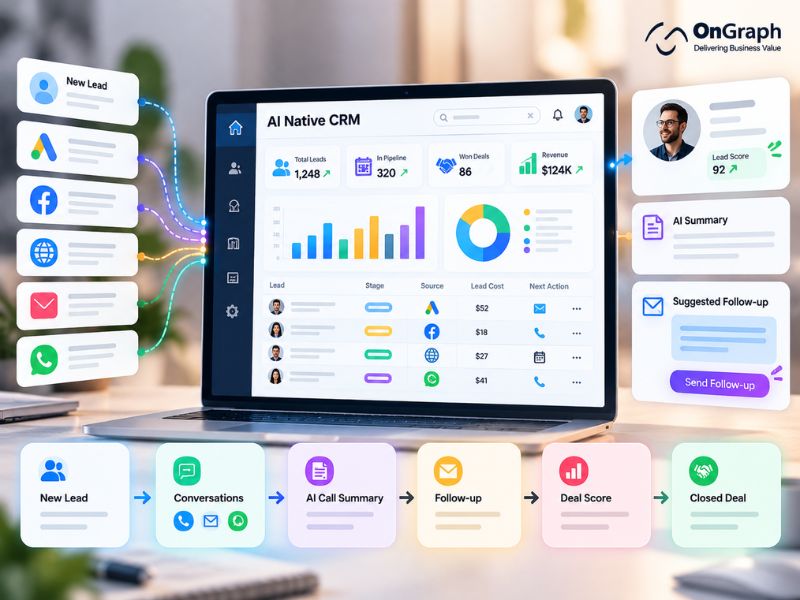
It answers inbound messages. A prompt library organised by business unit and product lets the assistant reply to routine questions within seconds, at any hour. When a question turns specific — pricing, scope, timelines — it escalates to a human instead of bluffing.
It drafts follow-ups in context from the lead’s own history, for a rep to approve. The blank page that causes follow-ups to slip disappears.
It listens to sales calls and builds the playbook. Meetings are transcribed, then mined for the questions customers actually asked and the answers given. The system proposes a better answer; the team comments, edits and accepts one; that becomes the standard reply everyone uses. Ask the same question on ten calls and the CRM tells you so — no rep names attached, because the point is the answer, not blame.
It scores how closeable a deal is, from the call itself — not from job title and company size, but from what happened: was the requirement identified, was it priced, is there a dated next step. The manager sees the score; the rep sees the plan to close.
It writes cold outreach that isn’t template mail, personalising each first email to the prospect’s business and passing genuine replies in as hot leads with their exact words attached.
It classifies and cleans as data arrives — consistent source labels, duplicates caught at intake, job applicants separated from sales enquiries, products inferred when a rep forgets to tag one.
The rule throughout: AI drafts, humans decide. Nothing reaches a customer as a commitment without a person behind it, and every AI action is visible on the lead’s timeline.
Is Your CRM Showing the True Cost of Every Lead?
The parts that make it a sales system, not a database
One scorecard for every channel. Google Search, Performance Max, Meta, Upwork, organic, referrals and partners side by side: cost, leads, cost per lead, meetings, proposals, deals won, revenue and return per dollar — over the same period on every line, not a rolling window that quietly disagrees with the month everyone else is discussing.
The true cost of everything. Ad spend, scraping tools, AI usage, freelance platform fees, subscriptions — so cost per lead and cost per won deal mean what they say.
A pipeline that shows leakage, not just position. Alongside the board, we track the furthest stage every deal has ever reached. The gap between that and where it sits today is the leak — deals that reached proposal and stalled — and those are surfaced rather than buried.
Follow-ups that don’t depend on memory. Tasks on the lead and in a personal list, overdue in red, one-click snoozes, recurring tasks, each row showing the client’s name and what they want.
A single conversation history per lead: WhatsApp, email, notes, calls, meetings and stage changes on one timeline, in the customer’s own words.
Proposals as versioned documents — version number, amount, and status from draft to sent to accepted — where accepting updates the deal value.
Money tracked to the last instalment. A won deal becomes a project with milestones: agreed, invoiced, collected, overdue. The cash flow view answers the question that matters more than the sales number.
And the unglamorous parts that decide whether a CRM survives: consent and opt-out handling, anti-spam limits across channels, email warm-up, role-based access, and a full audit trail.
For businesses planning or upgrading a CRM, these CRM features for scaling businesses provide useful context on lead management, automation, integrations and other core CRM capabilities.
What changed
The first thing the client noticed wasn’t a dashboard. It was that the Monday sales meeting got shorter.
The questions had answers: which channel produced what at what cost, which deals had gone quiet, which proposals were outstanding, which payments were overdue. Arguments about whose numbers were right stopped, because everyone looked at the same number and could click into the records behind it.
Two things surprised them:
Their best channel wasn’t the one they assumed. Once true costs went in and lead quality was rated by hand, the ranking changed and budget moved. That single correction was worth more than the software.
The forgotten pipeline was bigger than the lead-generation problem. Their instinct was “we need more leads”. What they needed was to work the deals already sitting at proposal stage — deals they had paid for once already.
What we’d tell you if you’re weighing the same decision
Building a CRM is the wrong answer for most companies. Buy one if a good one fits.
But before you renew, put your current system through four tests:
Can you see what a lead cost?
Not leads by source — cost per lead by source, including the tools and platform fees. If that number lives in a spreadsheet, your CRM is a contact list.
Can you click any number?
If a dashboard says 46 leads, you should be able to open those 46 records. Numbers you can’t open go wrong quietly.
Is the AI doing work, or decorating?
Summarising a note you already wrote saves nobody. Answering at midnight, drafting the follow-up, turning calls into a playbook — that’s work.
Does it follow the money past “Won”?
A closed deal is a promise of instalments. If your CRM stops at the celebration, finance starts from zero every month.
If the honest answers are no, the gap isn’t a missing feature. It’s a mismatch between the software and the business — the point at which building something that fits stops being indulgent and becomes cheaper.
We build sales systems like this one: every acquisition channel connected at the source, AI doing the repetitive work, and acquisition, pipeline, proposals, collections and channel economics in one place — deployed under your own brand, on your own infrastructure, syncing with the ERP you already run. If any of the problems above sound familiar, we’re happy to show you what we’ve built.
Still Managing Sales Data Across Too Many Systems?
FAQs
An AI-native CRM is a CRM where AI is built into everyday sales workflows instead of being added as a separate feature. It can help answer routine enquiries, draft follow-ups, summarize calls, identify stalled deals, organize lead data, and suggest next actions while keeping people in control of important decisions.
A CRM can track lead cost by connecting directly with sources such as Google Ads, Meta Ads, Upwork, website forms, and other paid channels. It can combine campaign spend with leads, meetings, proposals, won deals, and revenue. This makes it easier to calculate cost per lead and cost per won deal for each channel.
Yes. A custom CRM can connect these systems through APIs and integrations. Lead information, advertising costs, emails, WhatsApp conversations, meetings, sales activity, invoices, and payment details can then be linked to the same customer record instead of being managed across separate tools.
An AI CRM can monitor follow-up dates, overdue tasks, unanswered messages, proposal status, and how long a deal has remained at the same stage. It can bring stalled opportunities back to the sales team’s attention and help reps prepare the next follow-up based on the lead’s previous conversations.
An off-the-shelf CRM provides standard features and workflows that work well for many businesses. A custom CRM is built around a company’s specific sales process, lead sources, integrations, reporting requirements, approval rules, and payment workflows. Custom development makes more sense when important processes require too many workarounds in standard CRM software.
A business should consider a custom AI CRM when sales data is spread across several systems, lead costs are difficult to measure, important integrations are missing, sales teams rely heavily on spreadsheets, or the existing CRM does not match the actual sales process. Before building one, the business should compare the cost and effort of customization against improving its existing CRM.
About the Author

Let’s Create Something Great Together!
Latest Blog
Let’s have a conversation today!


India
ONGRAPH TECHNOLOGIES PRIVATE LIMITED,
SDF L-1, NSEZ,
Sector 81, Block L, Phase-2,
Noida, Uttar Pradesh-201305

USA
OnGraph Technologies,
120 Bethpage Rd, Suite 304,
Hicksville, NY 11801, USA

Canada
7-1039 CEDARGLEN GATE,
Mississauga, Ontario,
Canada L5C 3A7

UK
89 Banstead Road South,
Sutton, Surrey, SM2 5LH
United Kingdom

Malaysia
G-3A, Amaya Maluri, Jalan
Jejaka 2, Taman Maluri,
KL–55100, Malaysia

Singapore
10 Anson Road,#26-04
International Plaza,
Singapore (079903)